






Timesheet software provides tools for managing work hours, organising employee hours by pay period or cost centre and producing structured payroll data.
The Fair Work Act 2009 mandates accurate time and pay records for at least seven years, and Modern Award obligations mean the wrong tool creates real compliance exposure.
This review covers 15 tools available in 2026, assessed on AU-specific compliance capabilities, payroll integration depth, mobile app quality, and fit across different workforce types.

Best Because
A GPS-enabled time tracking platform built for remote and field-based teams needing location verification alongside hour logging.


Best Because
A mobile-first workforce platform for deskless teams, combining time tracking, scheduling, and team communication in one app.


Best Because
A simple one-click time tracker built for freelancers and project teams billing clients by the hour.

Best Because
A budget-friendly time tracking tool with a genuinely free unlimited-user plan and paid tiers for approval workflows and compliance controls.
What Is Timesheet Software?
Timesheet software is a digital system that records when employees start and stop work, organises those hours by pay period, project, or cost centre, and produces structured data that feeds into payroll.
For some businesses, that is exactly what they need. For others, the right tool goes further: interpreting Award rates, managing leave balances, and processing payroll within the same workflow.
Australian employers have two reasons to care. Operationally, managers stop chasing paper timesheets and manually tallying overtime. Legally, the Fair Work Act 2009 requires accurate time and pay records for at least seven years.
The category covers a wide range of tools. Some are built purely for client billing. Others centre on roster management, shift scheduling, or workforce compliance.
Some platforms detect app and website activity automatically. Others are full workforce systems connecting attendance to payroll, leave, and HR in one environment.
The question is not whether a timesheet tool exists for your business. It is whether the one you are evaluating handles the way your workforce is actually structured.

Best Timesheet Software in Australia
We reviewed 15 tools available to Australian businesses in 2026, covering free options for small teams, specialist tools for field-based industries, and integrated platforms for mid-size and enterprise operations.
Each was assessed on AU-specific compliance capabilities, mobile app quality, payroll integration depth, and pricing.
1. Hubstaff
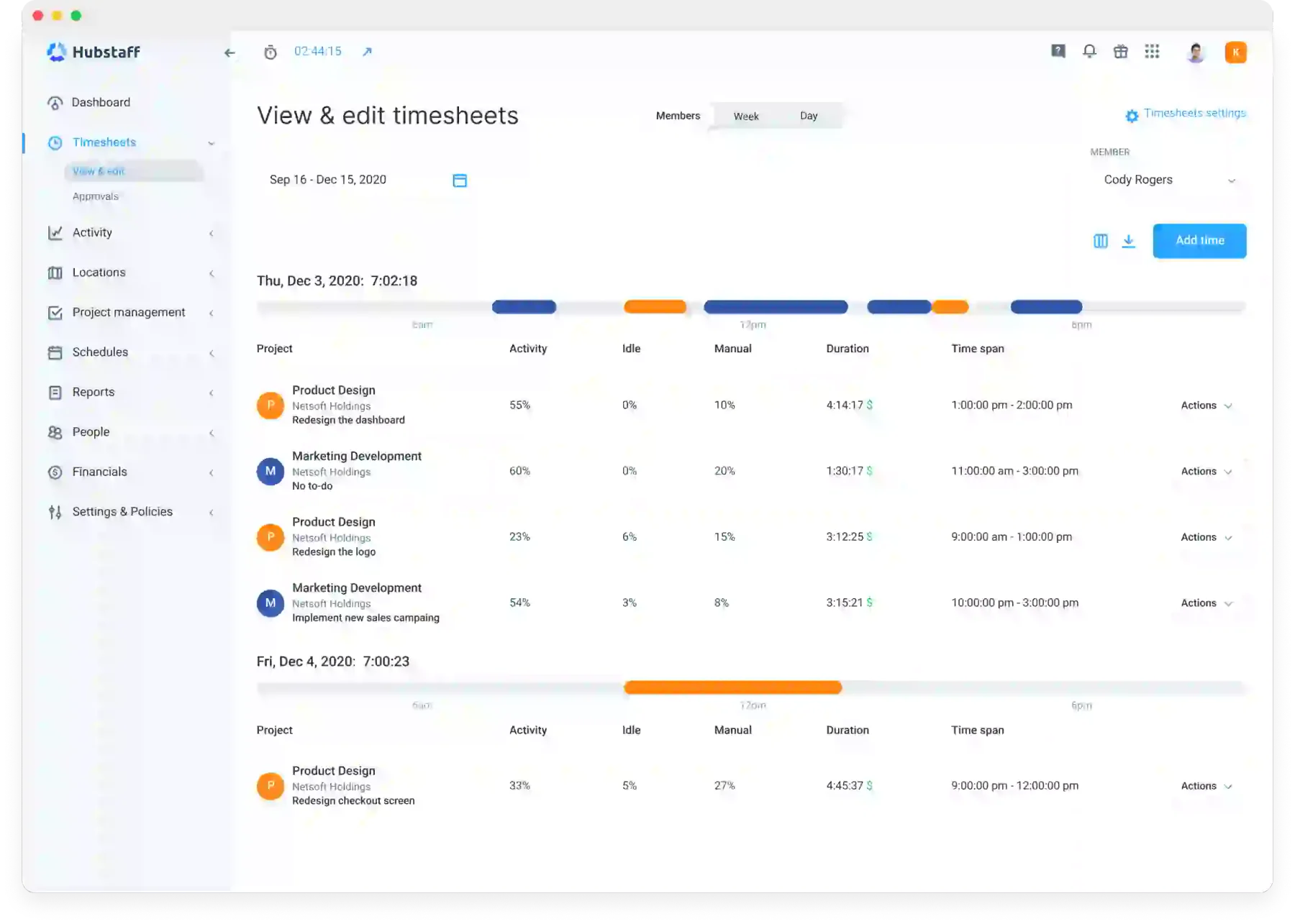
Best for: Remote and field-based teams needing GPS tracking alongside hour logging.
Hubstaff is a time tracking platform built for distributed and field-based teams. Automated tracking and GPS monitoring give managers a reliable record without constant manual input.
The GPS layer records location at clock-in and clock-out. Geofencing lets managers define boundaries around specific job sites, with alerts triggered when a worker clocks in from an unexpected location.
Beyond location, the platform captures screenshots, app usage, and URL history at configurable intervals. For remote teams where output is harder to observe directly, that visibility matters.
Australian businesses can connect to STP-compliant payroll tools through direct integrations or data exports. Overtime alerts flag potential Award rate triggers before they reach the pay run.
The platform was not designed for the Australian regulatory environment. Businesses with complex Modern Award obligations will need to handle penalty rate calculations separately, outside the platform.
Key features:
- GPS clock-in with geofencing for field workers
- Automated time tracking with activity monitoring
- Screenshots and app/URL capture (configurable)
- Project budgeting and client invoicing
- Overtime alerts and work limit notifications
| Pros | Cons |
| ✓ GPS and geofencing built into all paid plans. | ×Not designed for Australian Award compliance. |
| ✓ Activity monitoring suits remote team oversight. | ×Minimum two-seat requirement on all plans. |
| ✓ Strong project budgeting and invoicing tools. | ×Pricing is in USD with no local billing option. |
Pricing: Starter at US$4.99 per seat/month, Grow at US$7.50, and Team at US$10, with a 2-seat minimum. A 14-day free trial is available. Add-ons include Insights, More screenshots, Tasks, Data retention, and Silent app.
2. Connecteam
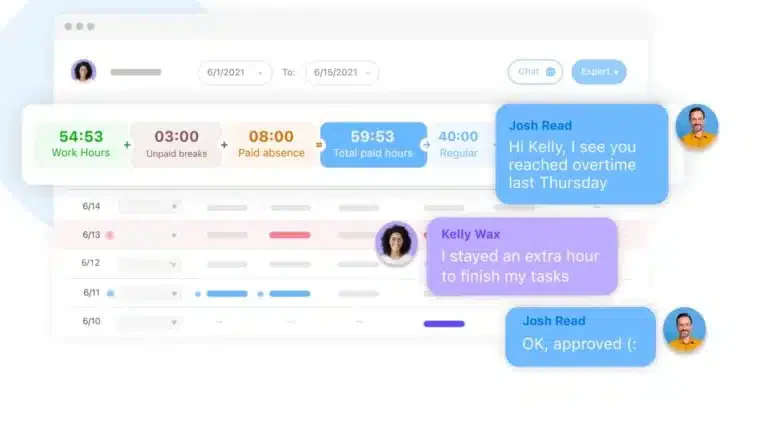
Best for: Deskless and frontline workforces in hospitality, construction, and retail.
A significant share of Australia’s workforce is on job sites, in aged care facilities, in commercial kitchens, or on retail floors. Most time tracking tools are designed with office users in mind. Connecteam is not.
The platform takes a mobile-first approach and performs well in low-connectivity environments. That matters when workers operate far from a reliable internet connection.
Beyond time tracking, it bundles scheduling, task management, internal messaging, onboarding checklists, and digital forms into a single app. That consolidation reduces the number of tools managers need to maintain.
GPS clock-in records location at each punch. Geofencing can automate clock-in and clock-out when workers enter or leave a defined zone, reducing missed punches without requiring staff to remember the process.
The flat-rate pricing model charges per plan rather than per user. It becomes cost-effective quickly as headcount grows. Australian-native Award interpretation is not included; penalty rate calculations stay in payroll.
Key features:
- Mobile-first time tracking with GPS and geofencing
- Shift scheduling and availability management
- Task lists, checklists, and team messaging
- Digital forms for incidents and compliance
- Flat-rate pricing regardless of user count
| Pros | Cons |
| ✓ Free plan covers up to 10 users with GPS tracking. | ×No Australian Award interpretation built in. |
| ✓ Flat-rate pricing stays cost-effective as headcount grows. | ×Reporting depth is limited on lower-tier plans. |
| ✓ Works reliably in low-connectivity field environments. | ×Advanced features require the higher-cost Expert plan. |
Pricing: Small Business Plan is free for life for up to 10 users. Operations Hub starts at Basic US$29/month yearly or US$35 monthly for the first 30 users. Operations Advanced is US$49 yearly or US$59 monthly. Expert is US$99 yearly or US$119 monthly. Enterprise is custom.
3. Toggl Track
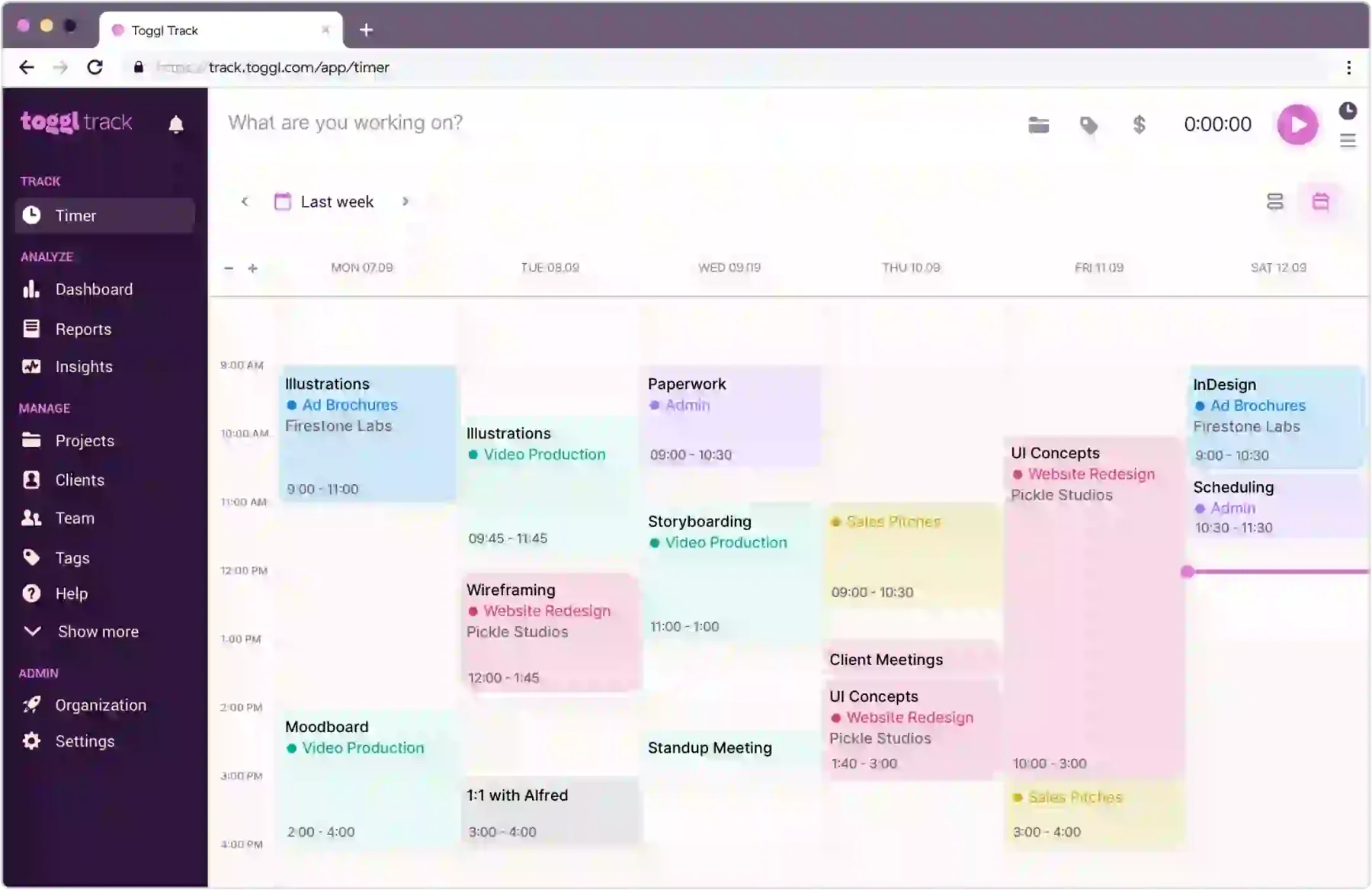
Best for: Freelancers and professional services teams tracking billable hours by client or project.
Toggl Track is built around one premise: making time tracking simple enough that people actually use it. The interface reduces the entire process to a one-click timer that syncs across devices.
A browser extension detects which project a user is working on based on the application or page currently open. Time is logged without switching context, removing the friction that causes tracking to get skipped.
The platform suits freelancers, agencies, and professional services teams billing by the hour. Reports show where hours are going, how actuals compare to estimates, and which clients consume the most time.
Rostering, shift scheduling, and Australian Award compliance are not part of the platform. For businesses that need those capabilities, Toggl Track needs to run alongside a separate tool. The free plan covers up to five users.
Key features:
- One-click timer across browser, desktop, and mobile
- Browser extension with automatic task detection
- Project and client-based time organisation
- Billable rates and revenue tracking
- Detailed reports with project budget comparisons
| Pros | Cons |
| ✓ One-click timer works across browser, desktop, and mobile. | ×No rostering, scheduling, or Award compliance tools. |
| ✓ Free plan covers up to five users. | ×No GPS tracking for field-based workers. |
| ✓ Browser extension auto-detects active project context. | ×Not suited to businesses needing payroll-ready exports. |
Pricing: Toggl Track lists Free at US$0 for a limited number of users. Starter is US$9 per user/month. Premium is US$18 per user/month. Enterprise uses custom pricing.
4. Clockify
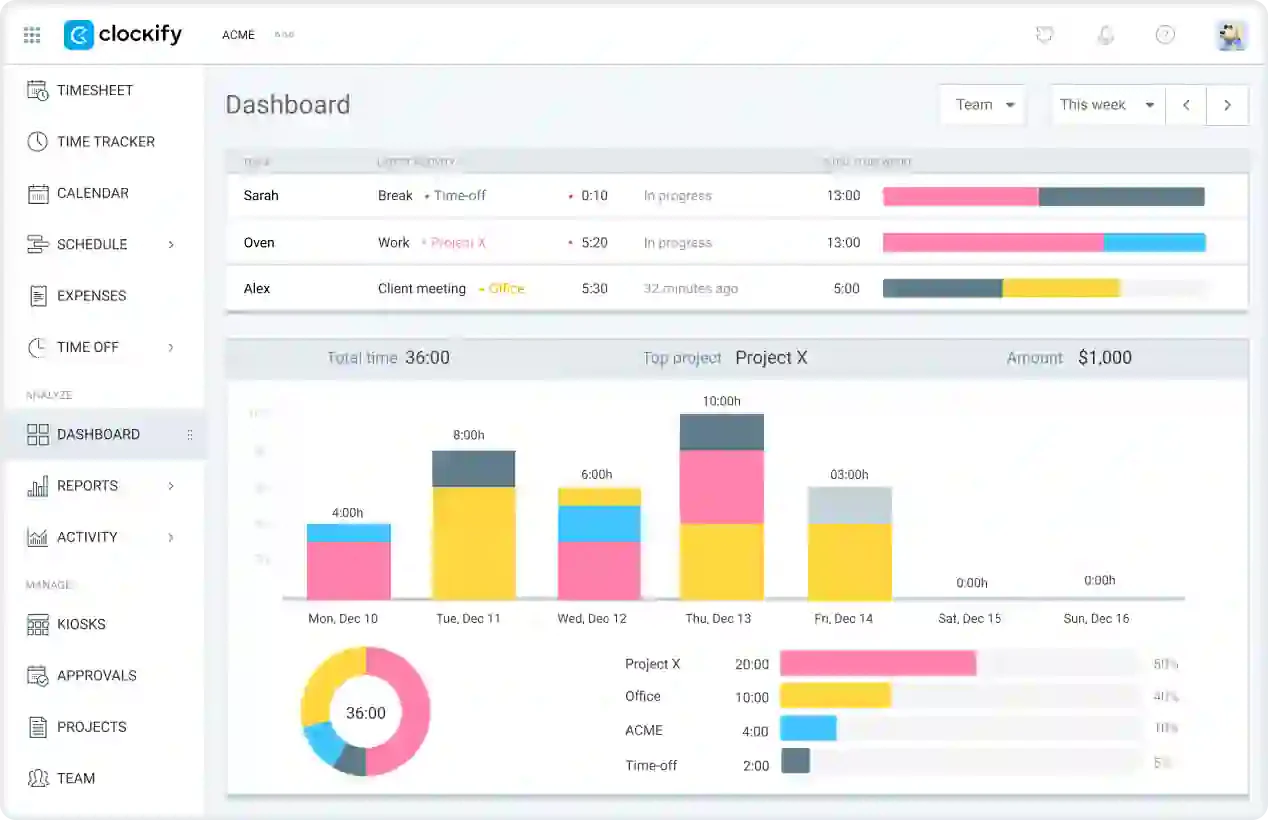
Best for: Budget-conscious teams wanting a no-cost entry point to digital timesheets.
Clockify’s most distinctive feature is its free plan: unlimited users, unlimited projects, and basic reporting at no cost. That is genuinely unusual in this category.
It makes the platform a legitimate starting point for small teams testing digital timesheets without committing to a subscription.
Employees track time via browser extension, desktop app, or mobile. Hours are organised by project and task, and managers get a consolidated view of what the team is working on.
Paid tiers add timesheet approvals, time locks, audit logs, scheduling, time-off management, and payroll export. That is where compliance and control capability enters the platform.
Clockify handles basic time recording well but was not built for the Australian regulatory environment. Modern Award calculations happen outside the platform. For teams with simple obligations, it is affordable.
Key features:
- Unlimited users on the free plan
- Project and task-based time tracking
- Timesheet approvals and audit logs (paid)
- Leave management and scheduling (paid)
- Payroll export reports
| Pros | Cons |
| ✓ Genuinely unlimited users on the free plan. | ×No Modern Award interpretation at any tier. |
| ✓ Paid tiers are among the most affordable in the category. | ×Timesheet approvals and audit logs are locked to paid plans. |
| ✓ Available across browser, desktop, and mobile. | ×GPS tracking requires a paid upgrade. |
Pricing: Clockify has a Free plan for time tracking. Basic is US$3.99 per seat/month yearly, or US$4.99 monthly. Standard is US$5.49 yearly or US$6.99 monthly. The Bundle is US$12.99 yearly or US$15.99 monthly. Clockify also lists limited kiosk seats from US$0.79 to US$2.39 yearly, depending on plan.
5. Deputy
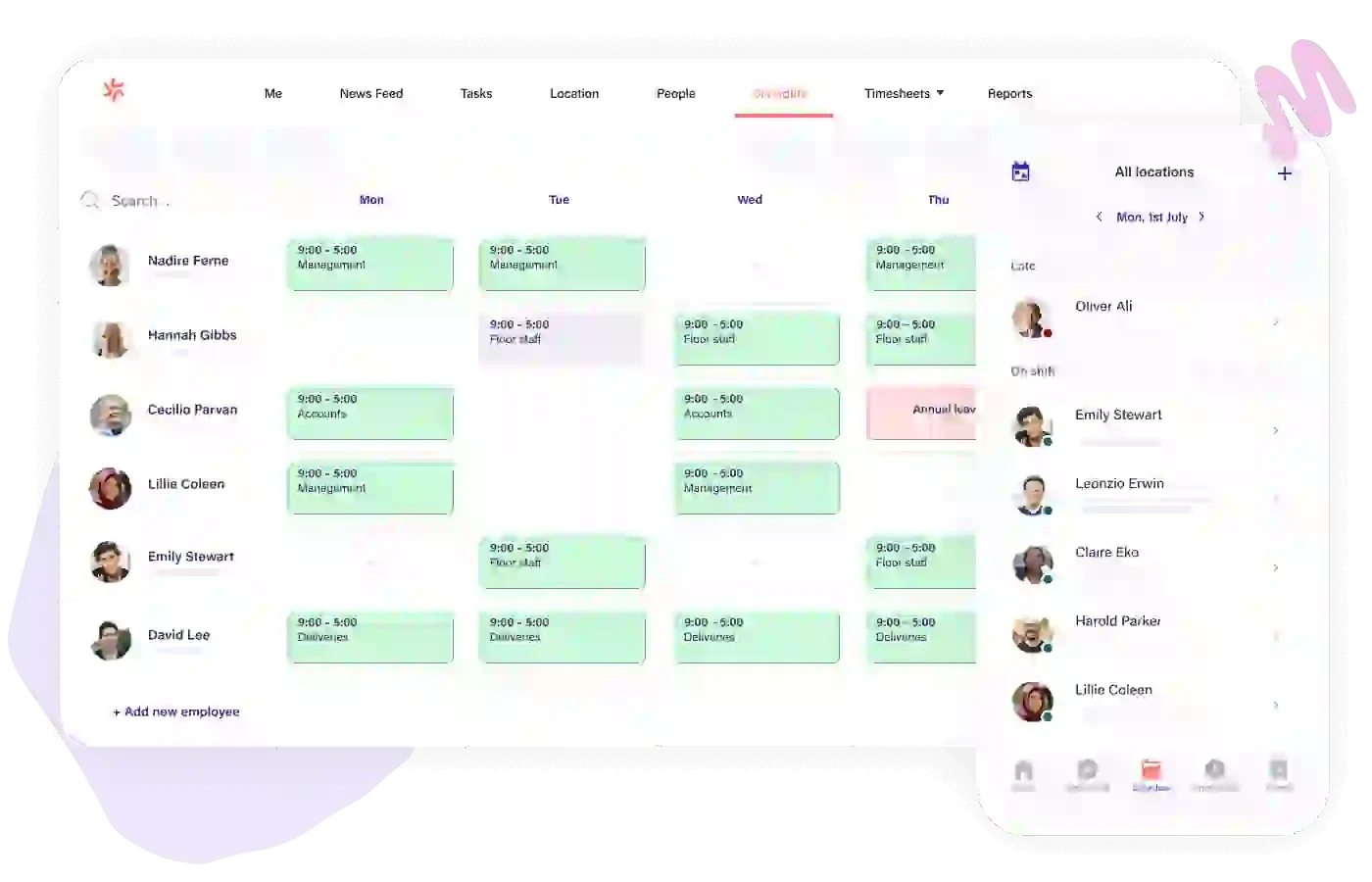
Best for: Rostered workforces in hospitality, healthcare, and retail with Modern Award complexity.
Deputy was founded in Sydney, and that origin shows clearly in the product. It was built with Australian compliance complexity at its core, not retrofitted to meet local requirements after the fact.
The Award interpretation functionality calculates penalty rates automatically. That includes weekday ordinary time, overtime thresholds, Saturday and Sunday rates, public holiday loading, and shift work allowances.
For businesses with rostered staff across multiple Modern Awards, that automation replaces a manual process in payroll. Calculating penalty rates by hand across a full roster carries real underpayment risk.
The rostering engine supports managing staff shift allocation based on demand, availability, and contracted hours. Schedules are built around forecasted demand, staff availability, and contracted hours, then published directly to employees’ phones.
When someone clocks in, their time records against the scheduled shift. Discrepancies are flagged for review before payroll runs. That comparison between planned and actual hours is the audit trail Fair Work requires.
Deputy integrates with a range of STP-compliant Australian payroll systems and is used across hospitality, healthcare, retail, and logistics.
Key features:
- Modern Award interpretation for Australian businesses
- Demand-based roster building with availability rules
- GPS-verified clock-in with shift comparison
- Manager approval workflows before payroll export
- Direct integrations with Australian payroll platforms
| Pros | Cons |
| ✓ Built-in Modern Award interpretation for Australian businesses. | ×No free plan available. |
| ✓ Demand-based rostering with direct shift publishing. | ×Minimum monthly spend applies regardless of user count. |
| ✓ Direct integrations with Australian STP-compliant payroll systems. | ×Add-ons like Analytics and Messaging increase overall cost. |
Pricing: Deputy lists Lite at US$5, Core at US$6.50, and Pro at US$9 per user/month, excluding applicable taxes. A minimum monthly spend applies. Add-ons include Deputy Payroll, Messaging+, and Analytics+.
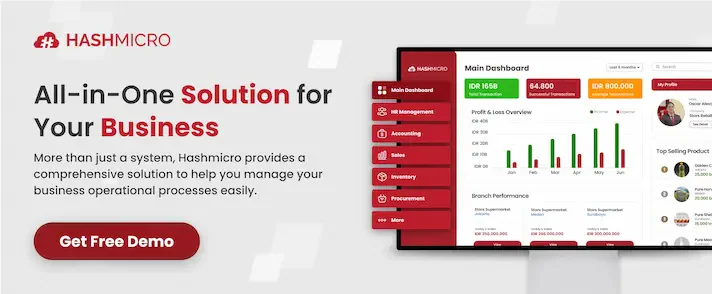
6. HashMicro
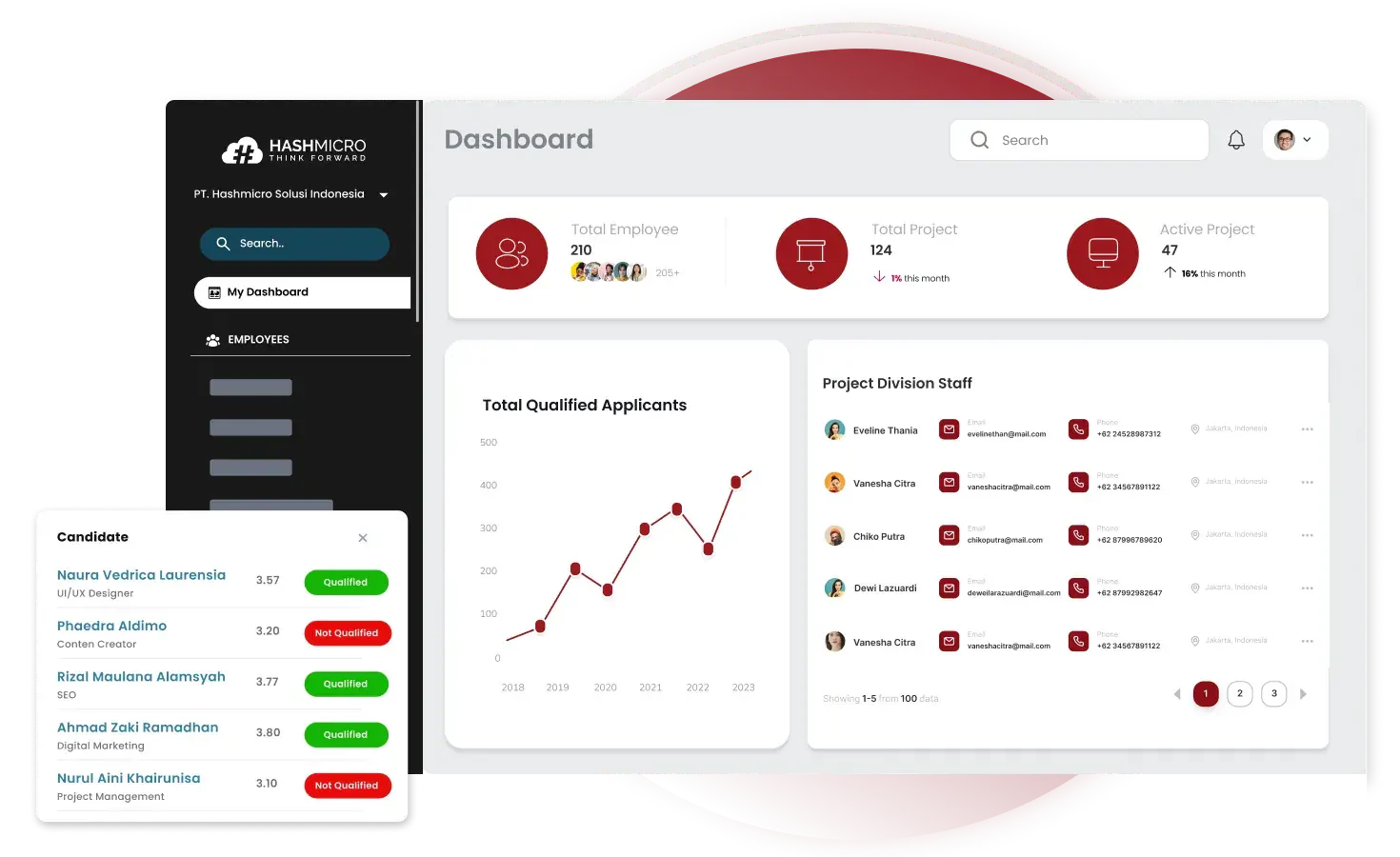
Best for: Mid-size to enterprise businesses wanting timesheet, HR, and payroll in one integrated platform.
HashMicro provides integrated systems for employee management, combining timesheets, HR, attendance, and payroll in one platform.
The key difference from most tools here is that time data and payroll sit in the same environment. When hours are approved, they flow directly into the payroll engine with no export, import, or reconciliation step.
The payroll module handles overtime calculations, penalty rate tracking aligned to Modern Awards, and leave management tied directly to timesheet records.
The system generates Single Touch Payroll Phase 2 reports and maintains employment records in the format the National Employment Standards require.
Multi-level approval workflows ensure sign-off follows the correct chain of authority before hours reach payroll. Labour cost dashboards provide visibility across departments and cost centres without adding another tool.
Time data also connects to project costing, HR, and financial reporting within the same platform. For smaller teams with simpler needs, a standalone option may be a more proportionate starting point.
Key features:
- Integrated timesheet, attendance, HR, and payroll in one platform
- Automated overtime and penalty rate calculations per Modern Award
- Single Touch Payroll Phase 2 (STP2) compliant payroll processing
- Customisable multi-level timesheet approval workflows
- Leave management directly linked to timesheet records
- Labour cost dashboards across departments and projects
| Pros | Cons |
| ✓ Timesheet, payroll, and HR sit in one integrated platform. | ×Implementation complexity suits mid-size teams upward. |
| ✓ STP Phase 2 compliant payroll processing included. | ×Smaller teams may find the feature set more than they need. |
| ✓ Automated Modern Award and overtime calculations built in. | ×Pricing is quote-based with no self-serve entry point. |
7. QuickBooks Time
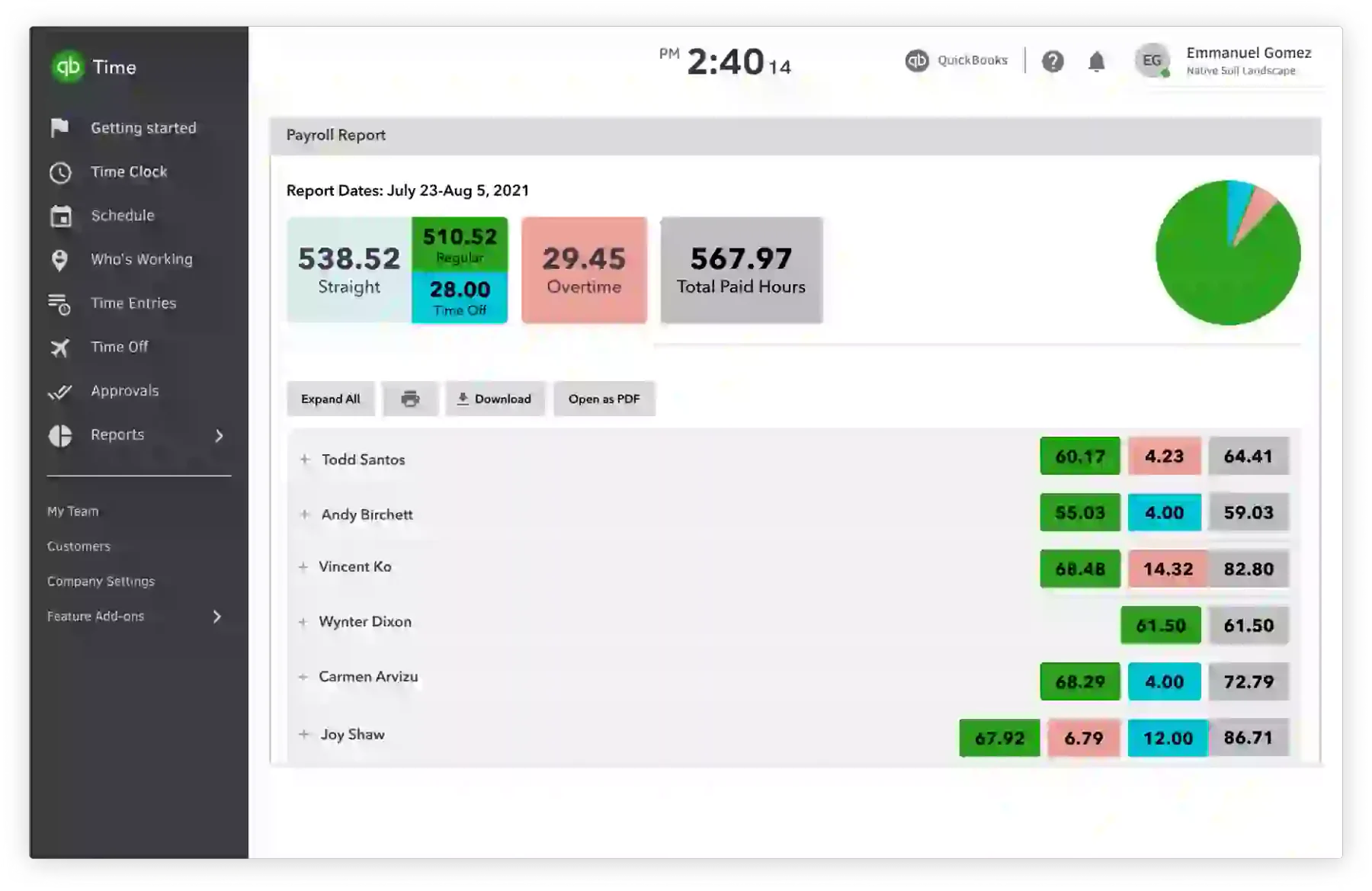
Best for: Small to medium businesses wanting GPS-based time tracking with robust job costing.
QuickBooks Time, formerly TSheets, is a time tracking platform with strong presence in the small to medium business segment. GPS tracking, mobile clock-in, job costing, and timesheet approvals are all included.
For businesses already working within the QuickBooks accounting ecosystem, the native connection between time tracking and accounting removes a manual data transfer from each pay cycle.
The kiosk mode is a practical addition for workplaces where not every employee carries a smartphone. A shared tablet at a front desk or warehouse entry can serve as the clock-in station for an entire shift.
The mobile app supports offline time tracking, with records syncing once connectivity is restored. Overtime alerts and break rule enforcement are configurable. Penalty rate calculations still need to happen in payroll.
Key features:
- GPS tracking with geofencing for field workers
- Tablet kiosk mode for shared clock-in
- Job costing and project-based time organisation
- Offline time tracking with automatic sync
- Custom clock-in questions and prompts
| Pros | Cons |
| ✓ Native connection to QuickBooks accounting removes manual data transfer. | ×No Australian Award interpretation included. |
| ✓ Kiosk mode suits workplaces without individual smartphones. | ×Full value is limited to businesses already using QuickBooks. |
| ✓ Offline tracking syncs automatically when connectivity returns. | ×Per-user pricing adds up quickly at larger team sizes. |
Pricing: Premium is listed at US$20 base per month, discounted to US$10/month for the first three months. The plan also charges US$8 per user/month.
8. Harvest
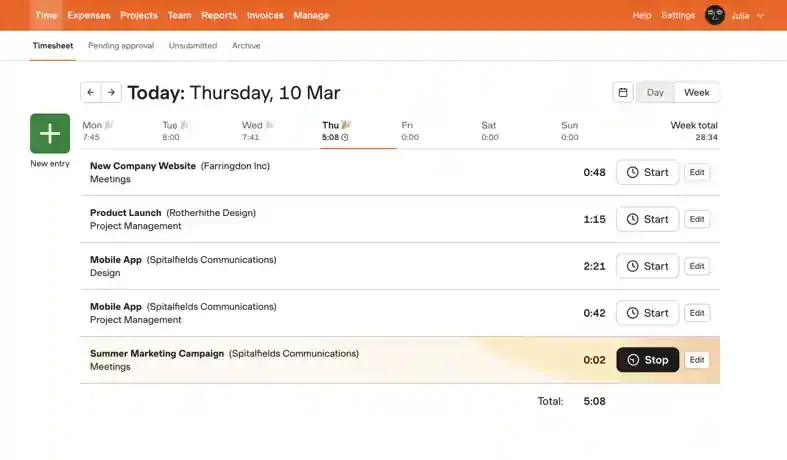
Best for: Freelancers and professional services firms billing clients by the hour.
Harvest centres on one workflow: tracking time and expenses against projects, then billing clients directly from those records. Invoicing is built in, so the process from hours logged to invoice sent runs in one system.
For consultancies, agencies, law firms, and IT service providers, that end-to-end flow is the primary advantage. Reports show whether projects are tracking on budget before costs run away.
Integrations with project management tools attach time entries to the deliverables they relate to, keeping project reporting clean and traceable.
Shift scheduling, Modern Award interpretation, and STP2 payroll integration are not included. For Australian businesses needing compliance tracking alongside project billing, Harvest works best as part of a broader toolkit.
The free plan covers one user and two active projects.
Key features:
- Time and expense tracking by project and client
- Budget alerts when projects approach spending limits
- Invoice generation directly from tracked hours
- Integrations with popular project management tools
- Visual reports on project profitability and team capacity
| Pros | Cons |
| ✓ Invoice generation runs directly from tracked time records. | ×No shift scheduling or Award compliance tools. |
| ✓ Budget alerts flag projects approaching spending limits early. | ×Free plan is limited to one user and two active projects. |
| ✓ Clean project profitability reporting by client or task. | ×No GPS tracking for field or deskless workers. |
Pricing: Harvest Free is US$0 forever for 1 seat and 2 projects. Teams is US$9 per seat/month annually or US$11 monthly. Enterprise is US$14 annually or US$17.50 monthly. Harvest offers a 30-day free trial, and annual billing gives a 20% discount.
9. Replicon
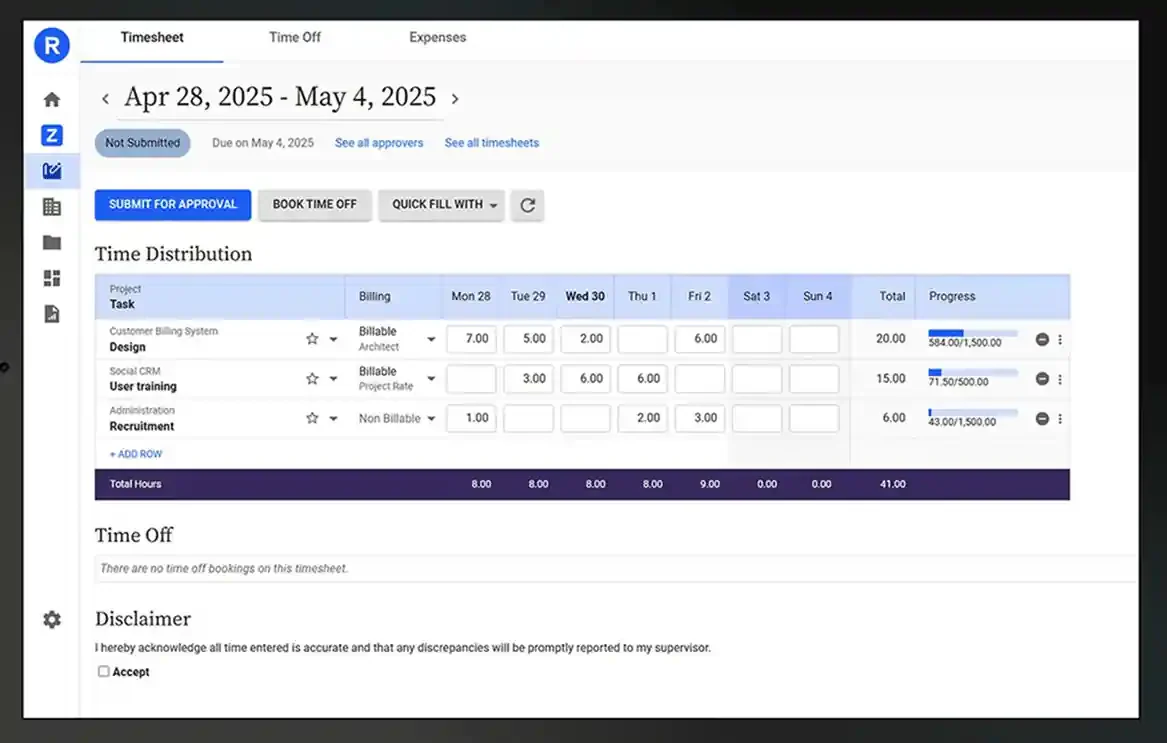
Best for: Enterprise businesses tracking time across complex projects and distributed teams.
Replicon is a cloud-based time intelligence platform designed for larger businesses managing projects, resources, and workforce compliance at scale.
The platform handles project-based time tracking, resource scheduling, and client billing in one environment. Time data flows into project costing and financial reporting without manual reconciliation.
Configurable approval workflows, audit trails, and policy enforcement support compliance requirements. For global operations, the platform handles multiple time zones, currencies, and regulatory frameworks.
Australian payroll integration is available through API and data export. Native Award interpretation is not included; penalty rate calculations sit with your payroll system.
Key features:
- Project and resource-based time tracking
- Configurable approval workflows and audit trails
- Resource scheduling and capacity planning
- Client billing and invoicing from time records
- API-based payroll integration
| Pros | Cons |
| ✓ Handles complex project tracking across distributed teams. | ×No native Australian Award interpretation. |
| ✓ Configurable approval workflows suit multi-level sign-off requirements. | ×Pricing is quote-based with no transparent entry point. |
| ✓ Supports multiple time zones, currencies, and regulatory frameworks. | ×Overkill for small teams with simple time recording needs. |
Pricing: Quote-based. Contact Replicon directly for current pricing.
10. ClockShark
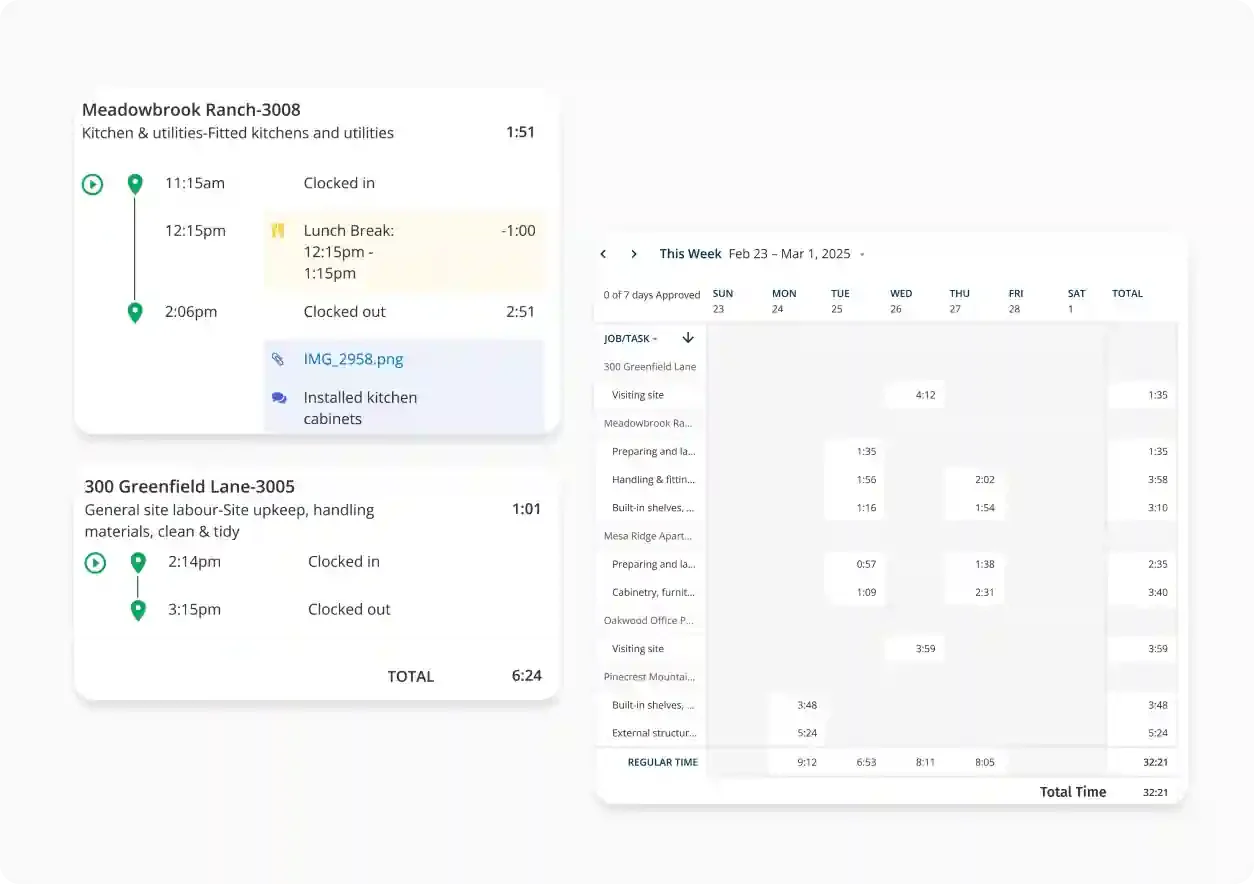
Best for: Construction, field service, and trade businesses tracking workers across multiple job sites.
ClockShark is built for field-based industries. GPS time tracking and job costing sit at the centre of the workflow.
Workers clock in and out via mobile with GPS location recorded at each punch. Geofencing can automate clock-in when a worker arrives on site, reducing missed entries.
Job costing connects hours directly to specific jobs and tasks. Managers see labour costs per job in real time, which helps prevent budget overruns before they compound.
Payroll export works with popular accounting tools. Australian Award interpretation is not part of the platform; penalty rates are handled in payroll.
Key features:
- GPS clock-in with job site geofencing
- Mobile app for field workers without desk access
- Job and task-based time tracking
- Real-time labour cost visibility per job
- Payroll export to accounting tools
| Pros | Cons |
| ✓ Built specifically for construction and field service workflows. | ×No Australian Award or penalty rate interpretation. |
| ✓ Real-time labour cost visibility per job prevents budget blowouts. | ×No free plan available. |
| ✓ Geofencing automates clock-in at defined job site boundaries. | ×Limited value for office-based or project-billing teams. |
Pricing: Visit ClockShark’s website for current pricing.
11. TimeCamp
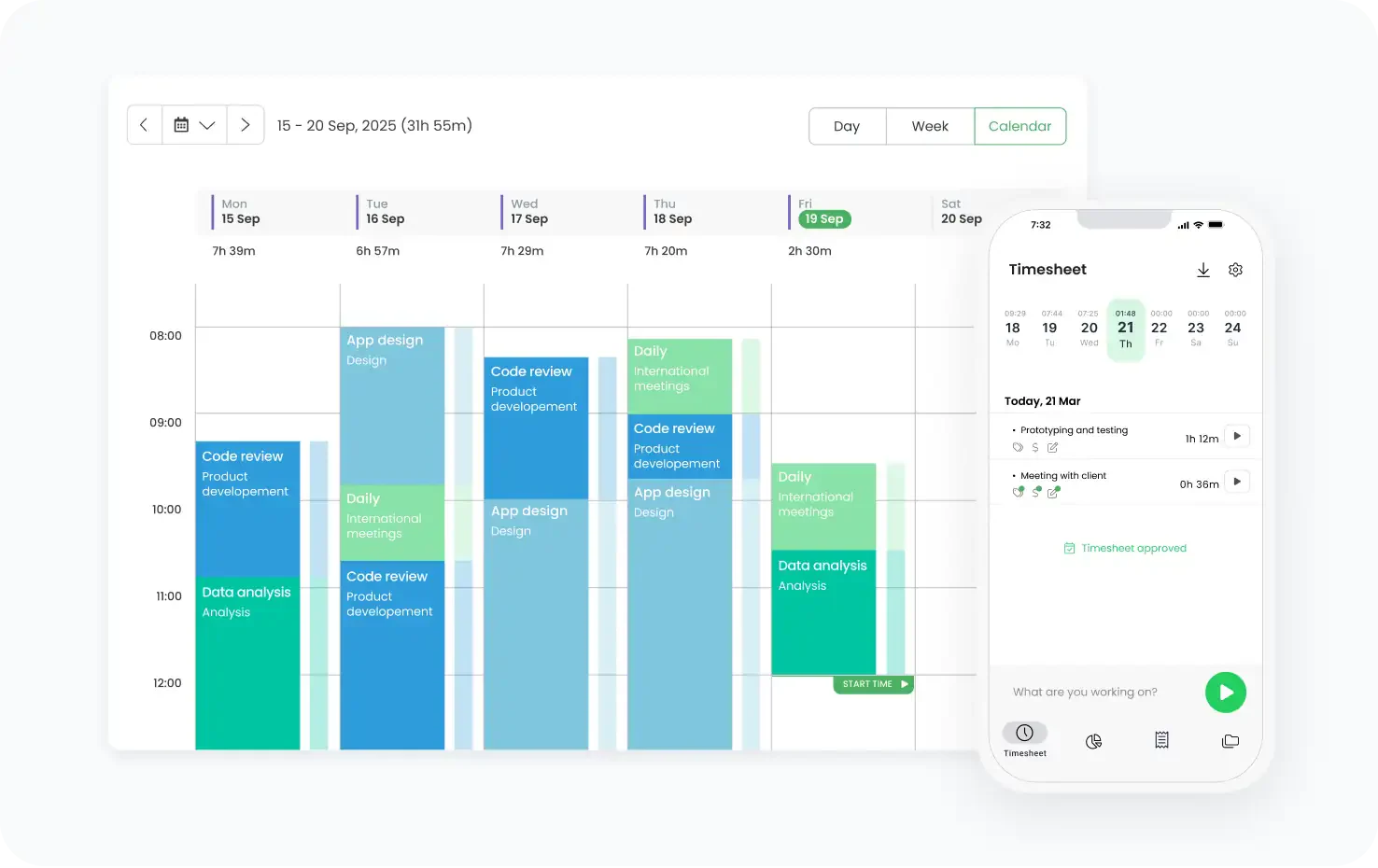
Best for: Freelancers and small teams wanting automatic time tracking with productivity visibility.
TimeCamp records time automatically based on keywords, window titles, and application activity. Workers do not need to remember to start and stop a timer.
The platform suits project-based teams tracking billable hours. Reports show time by client, project, and task, with budget tracking to flag projects running over estimate.
Integrations connect TimeCamp to project management and accounting tools. Payroll export is available on paid plans, though Australian Award compliance stays in payroll.
The free plan covers unlimited users with basic tracking. Paid tiers unlock invoicing, billing rates, and deeper reporting.
Key features:
- Automatic time tracking from app and website activity
- Project and client-based time tracking
- Budget alerts and project cost visibility
- Invoicing and billing rate management
- Integrations with project and accounting tools
| Pros | Cons |
| ✓ Automatic tracking removes the need to start and stop a timer. | ×No GPS tracking for field-based workers. |
| ✓ Free plan covers unlimited users with basic tracking. | ×No Australian Award compliance at any tier. |
| ✓ Invoicing and billing rates available on paid plans. | ×Automatic tracking requires desktop app installation. |
Pricing: TimeCamp offers a free plan for unlimited users. Paid tiers are available. Visit their website for current pricing.
12. Jibble
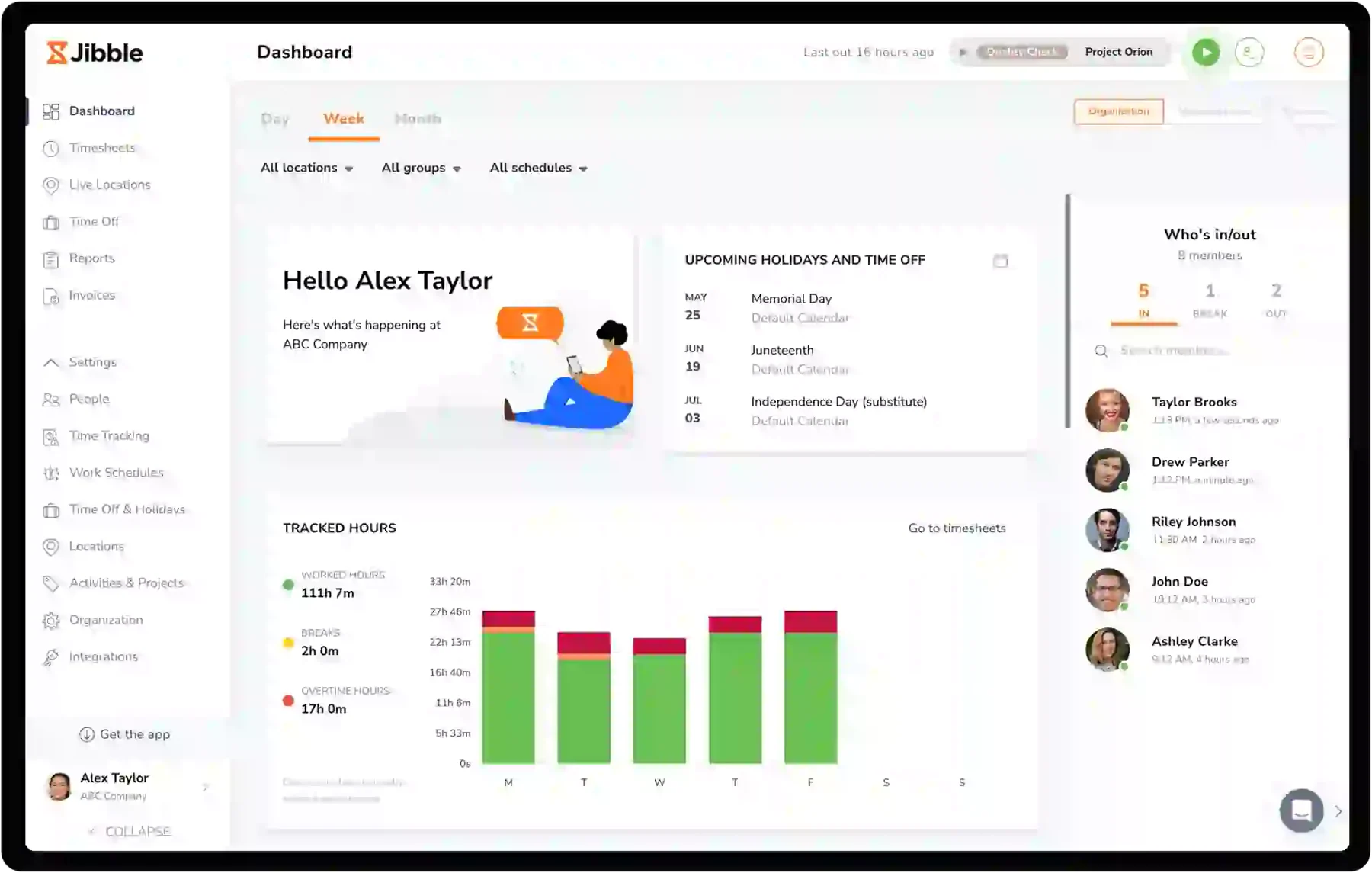
Best for: Small businesses wanting free GPS-based time tracking with facial recognition clock-in.
Jibble offers one of the most generous free plans in this category: unlimited users with GPS tracking, facial recognition clock-in, and basic reporting at no cost.
The facial recognition feature reduces buddy punching without requiring additional hardware. Workers clock in using the front camera on any shared tablet or their own smartphone.
Shift scheduling and attendance monitoring are included. The platform suits small businesses managing fixed shifts and needing a low-cost digital timekeeping solution.
Modern Award interpretation is not included. Businesses with complex penalty rate obligations handle those calculations in payroll.
Key features:
- Free plan with unlimited users
- Facial recognition clock-in on mobile or tablet
- GPS location tracking at each punch
- Shift scheduling and attendance monitoring
- Basic payroll export functionality
| Pros | Cons |
| ✓ Free plan includes unlimited users, GPS, and facial recognition. | ×No Modern Award interpretation included. |
| ✓ Facial recognition reduces buddy punching without extra hardware. | ×Payroll export depth is limited on the free plan. |
| ✓ Shift scheduling and attendance monitoring included at no cost. | ×Reporting and integrations require a paid upgrade. |
Pricing: Jibble’s free plan covers unlimited users. Premium and Ultimate paid tiers are available. Visit their website for current pricing.
13. Tanda
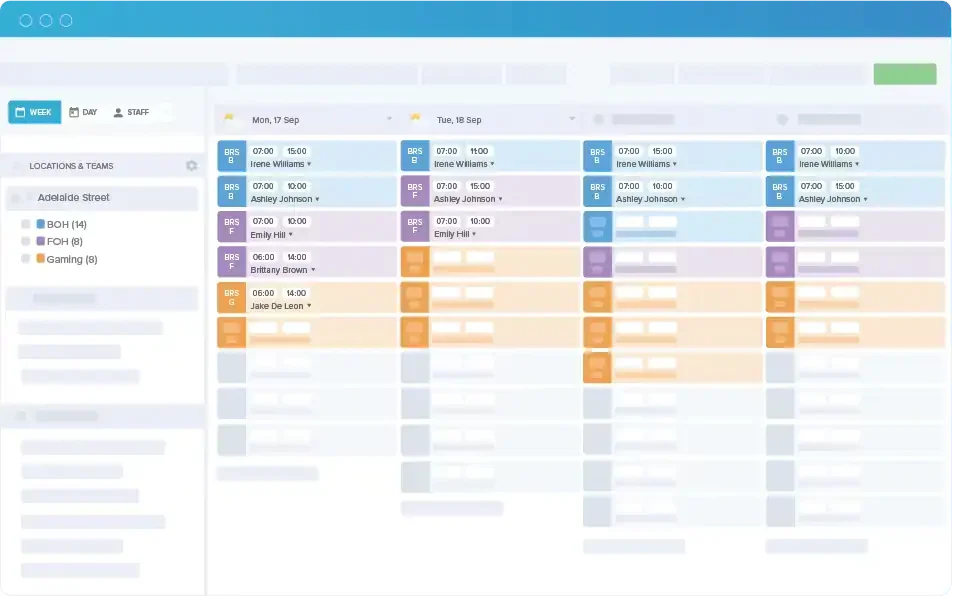
Best for: Australian businesses in hospitality, retail, and healthcare needing roster-driven compliance.
Tanda is an Australian platform built around workforce compliance. Award interpretation, rostering, and attendance come together in a system designed for the local regulatory environment.
The Award engine reads Modern Award rules and applies the correct rates automatically. Overtime, penalty rates, and allowances calculate from actual clock-in data rather than manual entry.
Roster management builds schedules from demand forecasts and staff availability. Worked hours compare against rostered hours before payroll runs, surfacing discrepancies for manager review.
Integration with Australian payroll platforms supports STP-compliant reporting. For businesses in Award-heavy industries, Tanda reduces the manual reconciliation that creates underpayment risk.
Key features:
- Modern Award interpretation for Australian businesses
- Demand-based rostering with availability rules
- GPS clock-in with roster comparison
- STP-compatible payroll export
- Direct integrations with Australian payroll tools
| Pros | Cons |
| ✓ Australian-built with Modern Award interpretation at its core. | ×No free plan available. |
| ✓ Demand-based rostering connects directly to attendance and payroll. | ×Pricing scales with employee count, which adds up for larger teams. |
| ✓ STP-compatible export integrates with Australian payroll tools. | ×Less suited to project-billing or remote-first teams. |
Pricing: Visit Tanda’s website for current pricing. Plans are based on employee count.
14. When I Work
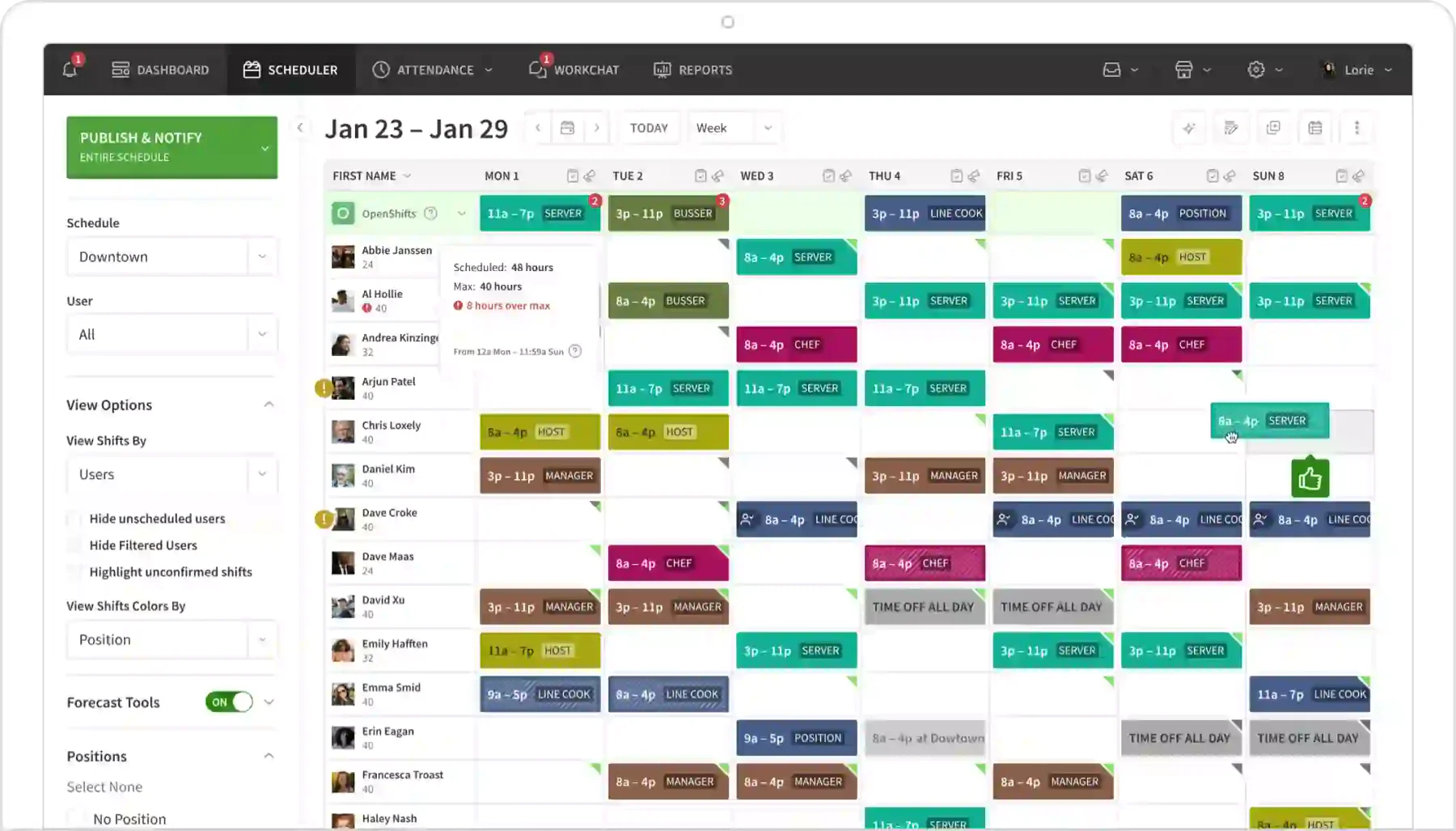
Best for: Retail, hospitality, and service businesses scheduling and tracking hourly workers.
When I Work centres on shift scheduling and team communication. Workers see their schedule, swap shifts, and clock in from the same app.
The scheduling engine handles availability, time-off requests, and open shifts. Managers post schedules and staff confirm availability without back-and-forth messaging.
Time tracking connects to scheduled shifts. Worked hours export to payroll tools at the end of each period. Australian Award interpretation is not included.
The platform suits businesses where scheduling complexity is the primary problem, rather than compliance depth.
Key features:
- Shift scheduling with availability management
- Employee self-service for swaps and time-off requests
- Mobile clock-in with GPS verification
- Attendance tracking against scheduled shifts
- Payroll export integrations
| Pros | Cons |
| ✓ Employee self-service for shift swaps reduces manager workload. | ×No Australian Award interpretation built in. |
| ✓ Scheduling and time tracking run in the same app. | ×No free plan beyond a trial period. |
| ✓ Clean mobile experience suited to hourly and shift workers. | ×Compliance depth is limited for Award-covered workforces. |
Pricing: Visit When I Work’s website for current pricing. Plans are priced per user per month.
15. Buddy Punch
Best for: Small to mid-size businesses wanting simple GPS time tracking with payroll integration.
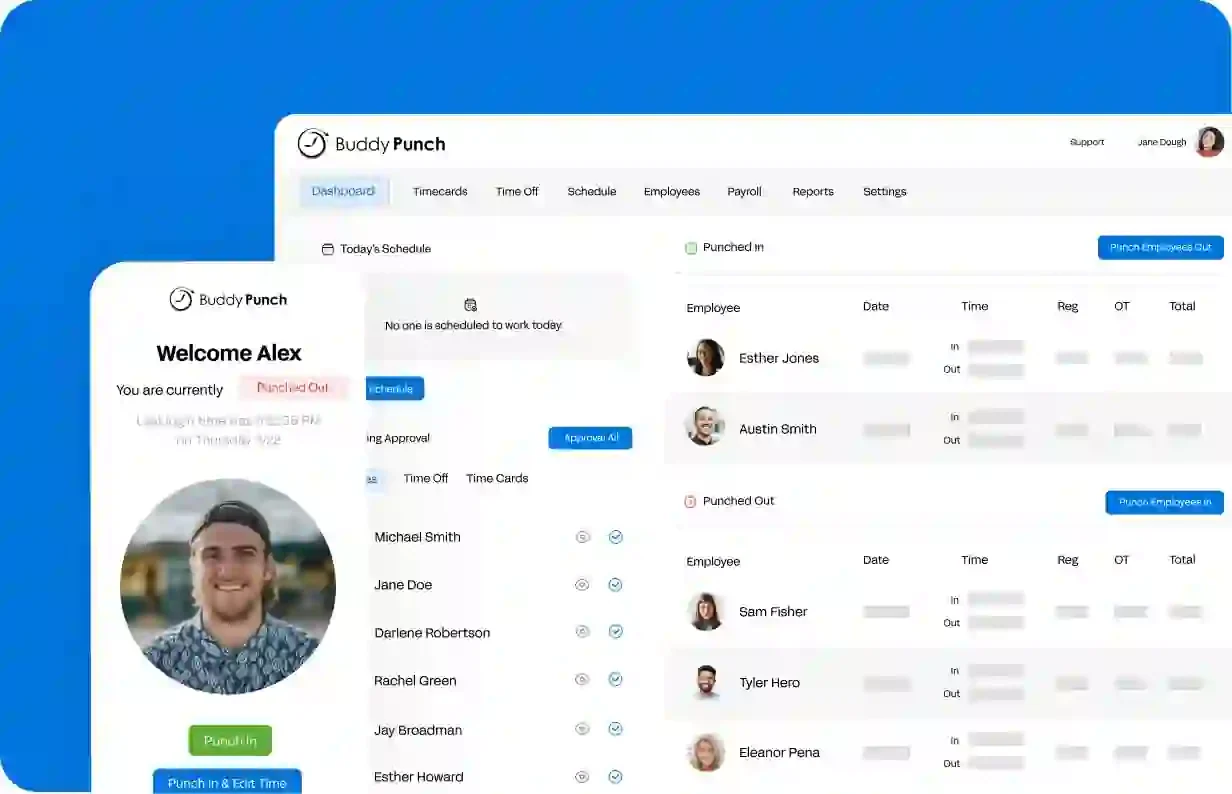
Buddy Punch is a straightforward time tracking platform covering clock-in, GPS verification, and payroll export. The interface suits businesses without dedicated HR or payroll staff.
Facial recognition and QR code clock-in reduce buddy punching without extra hardware. GPS and geofencing record location at each punch for field-based workers.
Overtime alerts, PTO tracking, and shift scheduling are included on standard plans. Integrations with popular payroll tools reduce manual handling at the end of each pay period.
Australian Award interpretation is not included. The platform suits businesses with simpler compliance obligations.
Key features:
- GPS clock-in with geofencing
- Facial recognition and QR code clock-in options
- Overtime alerts and PTO management
- Shift scheduling
- Payroll integrations
| Pros | Cons |
| ✓ Simple setup suits businesses without dedicated HR staff. | ×No Australian Award or penalty rate interpretation. |
| ✓ Multiple clock-in methods reduce buddy punching without hardware. | ×No free plan available. |
| ✓ PTO tracking and overtime alerts included on standard plans. | ×Feature depth is limited compared to specialist compliance tools. |
Pricing: Pricing is not publicly disclosed. Visit Buddy Punch’s website for current pricing.
Timesheet Software in the Australian Business Context
1. Fair Work Act: what employers must record and for how long
The Fair Work Act 2009 sets out specific record-keeping obligations for Australian employers. These are not optional.
Employers must record each employee’s name, employment status, and hours worked each day and week. Pay records, leave balances, and superannuation contributions are also required.
Records must be kept for seven years and made available to Fair Work inspectors on request. Failure to maintain compliant records can result in penalties and shifts the burden of proof to the employer in a wage dispute.
Timesheet software creates and stores these records automatically. The audit trail it produces is the practical foundation of a compliant record-keeping system.
2. Award rates, overtime, and penalty rate tracking obligations
Modern Awards cover the majority of Australian employees. Each Award specifies base rates, overtime thresholds, and penalty rates for evenings, weekends, and public holidays.
Calculating extra working hours and penalty rates manually across a rostered workforce is time-consuming and prone to error. Underpayment, even unintentional, carries significant legal and reputational risk.
Timesheet software that interprets Award rules automates this calculation. Hours recorded against shifts generate the correct rate breakdowns before the data reaches payroll.
Not all platforms do this. Tools built outside Australia typically handle base rate recording only. Award interpretation is a specific capability to verify before selecting a platform.
3. Single Touch Payroll (STP) and timesheet data requirements
The ATO’s Single Touch Payroll reporting requires employers to report wages, tax, and superannuation each time a pay run is processed.
Timesheet data feeds directly into this process. Hours recorded and approved in your timesheet tool become the input for each pay run. Errors in timesheet records produce errors in STP reporting.
STP Phase 2 expanded reporting requirements to include more employment information. Not all payroll systems have upgraded equally. Confirm your timesheet platform exports data in a format your payroll system can consume.
For platforms without a direct connection, CSV export is the fallback. It works, but adds a manual reconciliation step to each pay cycle.
4. Integrating timesheet software
The most common payroll platforms in Australian small and medium businesses are Xero, MYOB, and KeyPay (now Employment Hero Payroll).
Direct integration through digital systems for HR processes removes the manual step of exporting timesheet files into payroll. Approved hours transfer automatically, reducing the risk of transcription errors each pay cycle.
Check integration depth before committing to a platform. Some connections are read-only or limited to total hours. A full integration maps hours by employee, cost centre, and pay type.
Where a direct connection is not available, factor the manual reconciliation time into your evaluation. That cost compounds across every pay period.
Comparison Table: Top Timesheet Software at a Glance
| Features | Hubstaff | Connecteam | Toggl Track | Clockify | Deputy | HashMicro | QuickBooks Time | Harvest | Replicon | ClockShark | TimeCamp | Jibble | Tanda | When I Work | Buddy Punch |
|---|---|---|---|---|---|---|---|---|---|---|---|---|---|---|---|
| Ease of Use | |||||||||||||||
| Mobile App Quality | |||||||||||||||
| Payroll Integration | |||||||||||||||
| Compliance Support | |||||||||||||||
| Value for Money |
How to Choose Timesheet Software for Your Australian Business
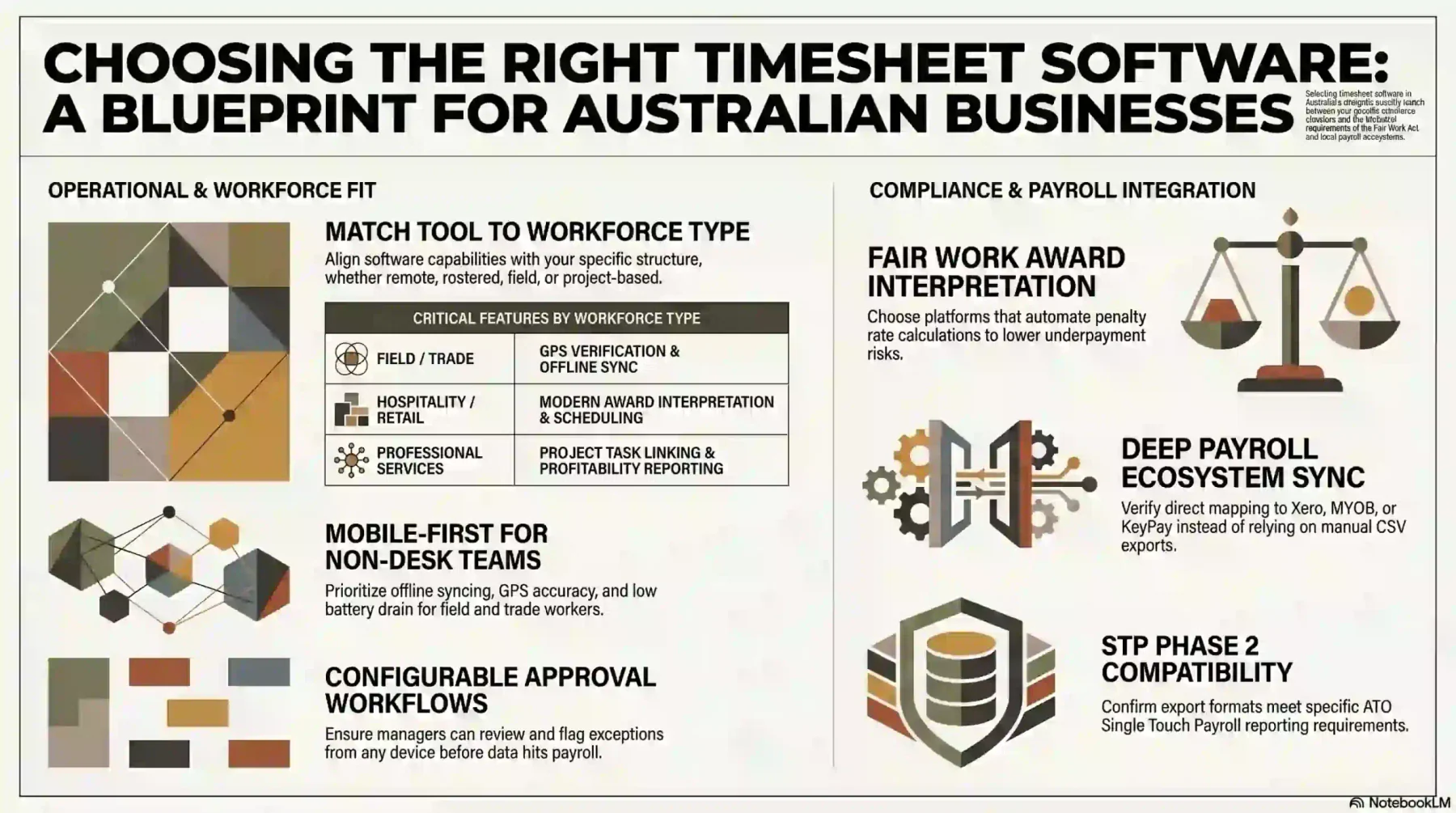
1. Identify your workforce type: remote, rostered, field, or project-based
The right tool depends on how your workforce is structured. A remote team needs different capabilities than a rostered hospitality shift or a field service crew.
Project-based businesses need time organised by client and task. Rostered workforces need scheduling and Award-aware payroll integration. Field teams need GPS verification.
Identify your primary use case before evaluating platforms. A tool built for freelance billing will not serve a café with 20 casual staff.
2. Check Fair Work Act compliance and Award interpretation features
Not all timesheet tools handle Australian compliance requirements. Many platforms record hours accurately but leave penalty rate calculations to payroll.
For businesses covered by a Modern Award, that gap matters. Award interpretation built into the timesheet layer reduces manual work in payroll and lowers underpayment risk.
Ask specifically: does the platform interpret the Award, or does it export hours only? The answer determines how much manual work remains in each pay cycle.
3. Verify payroll integration with Xero, MYOB, or KeyPay
Most Australian small businesses run payroll through Xero, MYOB, or KeyPay. Confirm the timesheet tool integrates directly with the platform you use.
Check the depth of the integration, not just its existence. A direct integration that maps hours by pay type and cost centre saves more time than a basic CSV export.
If a direct connection is not available, factor in the manual reconciliation time that CSV exports add to each pay run.
4. Assess mobile app quality for non-desk workers
If your workforce is not at a desk, the mobile app is the primary interface. A poor mobile experience leads to missed clock-ins and unreliable records.
Test the app on the devices your team actually uses. Check whether it works offline and syncs reliably when connectivity returns.
For field and trade businesses, GPS accuracy and battery drain during tracking are practical considerations that reviews often overlook.
5. Review timesheet approval and manager oversight workflows
Timesheets need a review process before they reach payroll. Look for platforms with configurable approval workflows that match your management structure.
Multi-level approvals, exception flagging, and audit trails reduce the risk of errors passing undetected into a pay run.
Check whether the approval interface works on mobile. Managers who approve from the field need the same workflow access as those at a desk.
6. Check shift scheduling if you operate a rostered workforce
For businesses with rostered staff, the connection between schedule and timesheet matters. A platform that links both reduces discrepancy and simplifies payroll reconciliation.
Scheduling tools that show planned versus actual hours give managers an early view of overtime risk before it becomes a payroll problem.
If you already have a scheduling system that works, check whether it integrates with the timesheet platform you are evaluating before switching.
7. Evaluate project and client billing linkage if billing by the hour
Professional services businesses, consultancies, and agencies bill clients based on hours worked. Time that goes unrecorded or miscategorised affects invoicing accuracy.
Look for platforms that attach time entries to specific projects and tasks, flag hours approaching budget limits, and generate invoices directly from tracked time.
The strongest project-based tools also produce profitability reports by client or project, giving visibility into where time is spent relative to what was estimated.
8. Confirm STP export format compatibility with your payroll system
Timesheet data feeds into your payroll system, which reports to the ATO through Single Touch Payroll. If the export format does not match what your payroll system expects, manual work follows.
Confirm the export format before selecting a platform. Ask the vendor whether their export maps correctly to your specific payroll system, particularly for STP Phase 2 fields.
For businesses using less common payroll tools, this check is critical. Integration gaps discovered after sign-up create payroll delays at the worst possible time.
Conclusion
The right timesheet software depends on two things: how your workforce is structured and what your compliance obligations actually require. A freelancer billing by the hour has different needs from a hospitality venue.
Tools like Deputy and Tanda are built for Australian compliance complexity. Platforms like Toggl Track and Harvest serve project billing well. Connecteam and Jibble suit frontline workforces on tighter budgets.
Start with your workforce type and work backward to the features you need. To learn further in this topic, You can request a free consultation to improve workforce tracking and payroll accuracy.
Frequently Asked Question
-
What are the penalties for not keeping accurate timesheets in Australia?
Under the Fair Work Act 2009, failure to keep compliant records can result in civil penalties. Courts can draw adverse inferences where records are missing or inaccurate, which shifts the burden of proof to the employer in a wage dispute. Penalties apply per contravention and can extend to individual managers.
-
How long must employers keep timesheet records in Australia?
The Fair Work Act requires employers to keep time and pay records for at least seven years. Records must be legible, in English, and available to a Fair Work inspector on request.
-
Does timesheet software work for casual and part-time employees?
Yes. Most platforms handle casual and part-time employment status. Platforms with Australian Award interpretation apply the correct casual loading or part-time rates based on hours recorded.
-
Can timesheet software track time for contractors and subcontractors?
It depends on the platform. Some tools allow contractor tracking outside the standard employee workflow. Fair Work record-keeping obligations apply to employees, not independent contractors. If you are unsure whether a worker is an employee or contractor, seek legal advice.
-
Is free timesheet software sufficient for an Australian business?
For businesses with simple obligations, a free tool may cover basic recording needs. The limitation is compliance depth. Free plans rarely include Award interpretation, STP export, or approval workflows. As headcount and complexity grow, a paid plan or specialist platform becomes necessary.