Payslip mishaps can be a real headache. Miscalculations, delayed payments, or compliance issues with tax deductions and labor laws can cause serious problems if you’re still managing pay slips manually, nako, ang hassle niyan!
Luckily, there’s a better way. Payslip software takes care of salary calculations, allowances, and deductions with precision, ensuring everything is accurate and compliant. Pero sa dami ng pagpipilian, paano mo malalaman kung alin ang pinakaangkop sa negosyo mo?
Therefore, companies must be careful when choosing a pay slip application. The following are 10 top-rated payslipsoftwarefor businesses in 2026 that can help avoid these risks.
In addition, this article provides a pay slip generator that can help you generate pay slips automatically and accurately. With this tool, you can save time, minimize errors, and ensure employees receive transparent and regulatory salary details.
Key Takeaways
Payroll software is essential to ensure accurate, efficient, and regulatory payroll management, as well as improve employee satisfaction.
Choosing the right payslip software can help companies avoid miscalculations, ensure legal compliance, and improve payroll efficiency.
Using the best payslip software provides many benefits that can support efficient business operations. Here are five main advantages of using a payslip check application:
1. Efficiency in payroll management
Payslip maker software simplifies the calculation of salaries and the delivery of payslips. It saves businesses time and energy that would be used in processing payroll manually.
This makes businesses more transparent and clearer since employees can freely and accurately view their salary details via the software. In addition, this reduces errors and ensures compliance with payroll regulations.
This also allows HR teams to concentrate on more important work instead of being overwhelmed by administrative tasks. As a result, the business functions better and more easily, which helps with overall productivity.
2. Accuracy of salary calculation
With automation features, payslip software ensures that salary calculations, benefits, and deductions are processed precisely. The system adheres to employment regulations, minimizing the risk of errors common in manual payroll processing.
To experience the convenience of automated salary calculations, you can try the free payslip software demo from HashMicro. With this demo, you’ll see firsthand how payroll automation enhances efficiency and accuracy in your company.
3. Easy access and data security
Digital payslips can be accessed anytime, anywhere, by employees using their devices. This online payslip software also has security features to protect sensitive financial data from leaks or unauthorized access.
4. Compliance with regulations
The best payslip software is updated to comply with Philippine labor laws, including wages, taxes, and mandatory contributions. This software provides administrative support to companies, ensuring compliance with employment laws and reducing the risk of legal penalties.
5. Reducesoperationalcosts
Reducing operational costs is not the only function of payslip maker software, as it automates payroll tasks and saves on paper, ink, and mailing costs. In doing so, businesses can significantly minimize unnecessary expenses.
In addition, automation eliminates the need for extra payroll staff, allowing HR departments to focus on their priority tasks. Thus, organizations can operate efficiently while reducing administrative costs.
With all these advantages, online payslip software helps businesses perform better, comply with regulations, and simplify employee payroll information.
Difference Between Payslip and Payroll
Many people confuse a payslip with payroll, but they serve different functions in salary management. While both relate to employee compensation, their roles in financial documentation and processing are distinct. Here’s how they compare:
Feature
Payslip
Payroll
Definition
A document given to employees as proof of salary payment
The entire process of calculating, managing, and disbursing employee wages
Purpose
Provides a detailed breakdown of earnings, deductions, and taxes
Handles salary computation, tax filing, and benefits disbursement
Issued By
Employer to employee
HR or finance department to process employee payments
Legal Requirement
Often required as proof of income for loans, tax filing, or financial transactions
Must comply with labour laws and tax regulations to ensure accurate salary distribution
Scope
Focuses on salary details per employee
Covers company-wide payroll processing, tax deductions, and compliance reporting
Though related, a payslip focuses on salary transparency and documentation, whereas payroll encompasses the comprehensive process of salary management, tax deductions, and benefits disbursement.
While payroll involves salary processing, tax compliance, and financial reporting, a payslip is merely the confirmation that employees receive as verification of their payment.
10 Best Payslip Software in the Philippines 2026
Searching for the ideal payslip software? Here are the 10 top payslip software in the Philippines (2026) designed to streamline payroll, minimize errors, and ensure compliance with labor laws.
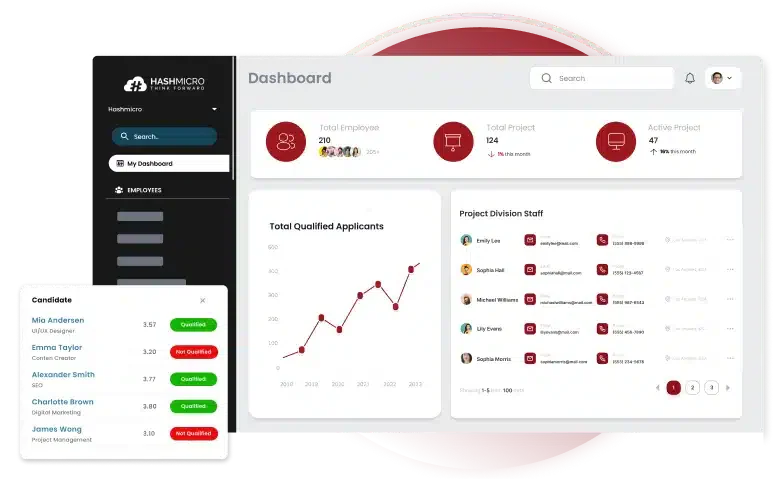
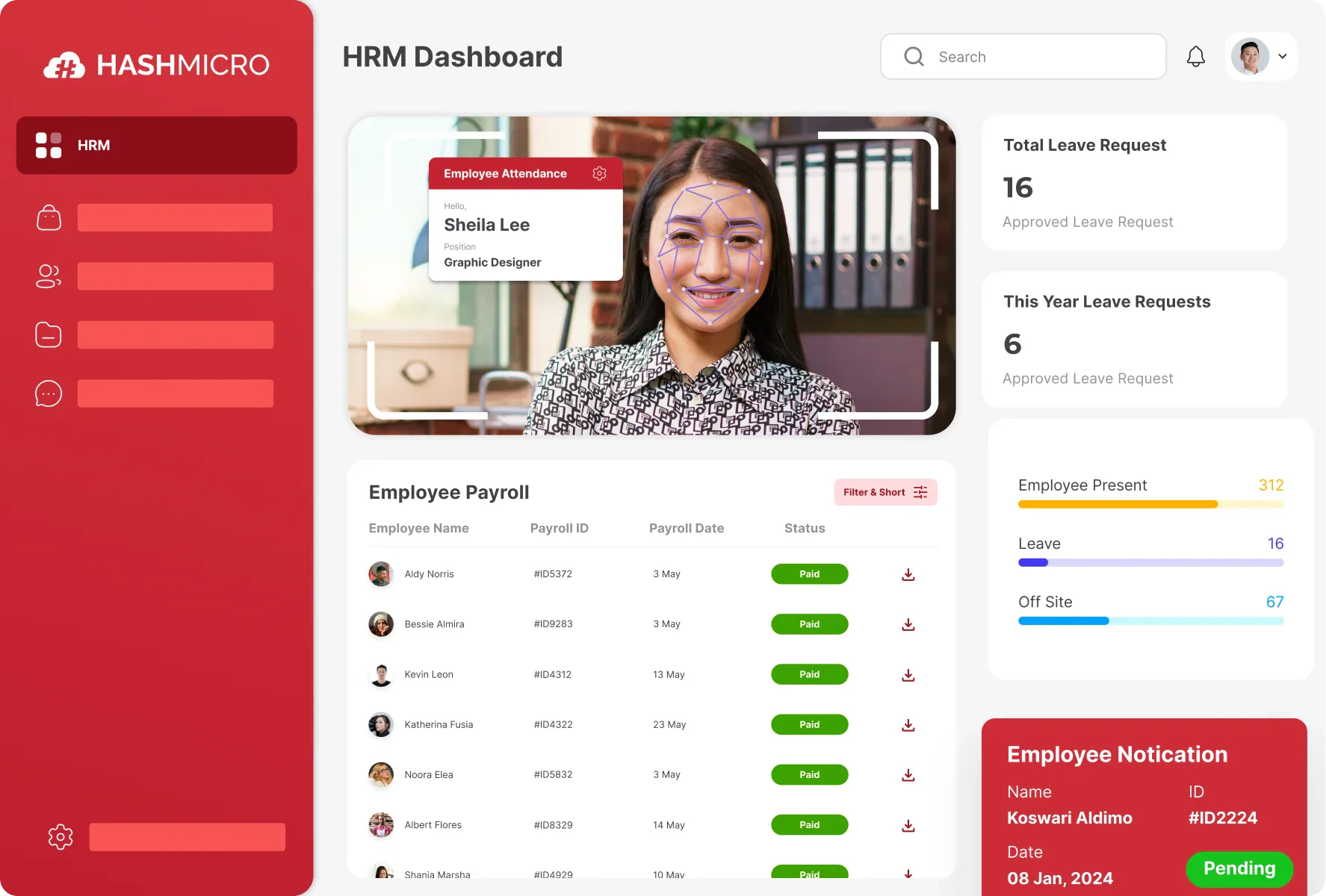
1. HashMicro Payslip Application
HashMicro Philippine enterprise ERP software, known for its comprehensive features in payslip management. This application also enables companies to better comply with employment regulations in the Philippines.
The software is designed to accurately automate payroll processes, including salary calculations, benefits, and tax deductions. You can also explore its features further through the free demo offered by HashMicro.
Its seamless integration with other AI HR tools modules, such as attendance tracking and employee management, makes it an ideal choice in ERP for large Philippine companies.
Key Features of HashMicro:
Built-in Professional Templates: Provides ready-to-use payslip templates for contracts and payslips, making creating documents with professional and consistent standards easier.
Payroll Automation: Automates salary calculations, tax deductions, and benefits processing to reduce manual errors and increase efficiency.
Tax and Insurance Management: Automatically calculates tax and insurance contributions, ensuring compliance with applicable regulations.
Daily Worker & Hourly Worker Payslip Management: Manages payslips for daily and hourly workers, calculating wages based on reported work hours.
Compliance with Local Regulations: Ensures the payroll process adheres to local labor and tax regulations.
Employee Self-Service Application: This application provides a portal for employees to access their payslips, request leave, and update personal information.
Multi-Approval System: A multi-stage approval system that allows multiple parties to review and approve payroll before processing.
Pros
Cons
High flexibility, easy to adjust to company needs
100% unlimited users, no additional costs
No hidden costs, costs are communicated transparently
Strong integration with other systems
Available lifetime after-sales service
Features cater to large enterprises and may not be ideal for small businesses
Creating payslips is now simpler with HashMicro’s HRIS software, which automates the calculations for salaries, benefits, and deductions. With just a few clicks, employee payslips can be generated accurately, ensuring compliance with labour regulations.
You can also learn more about HashMicro’s pricing plans through the banner below.
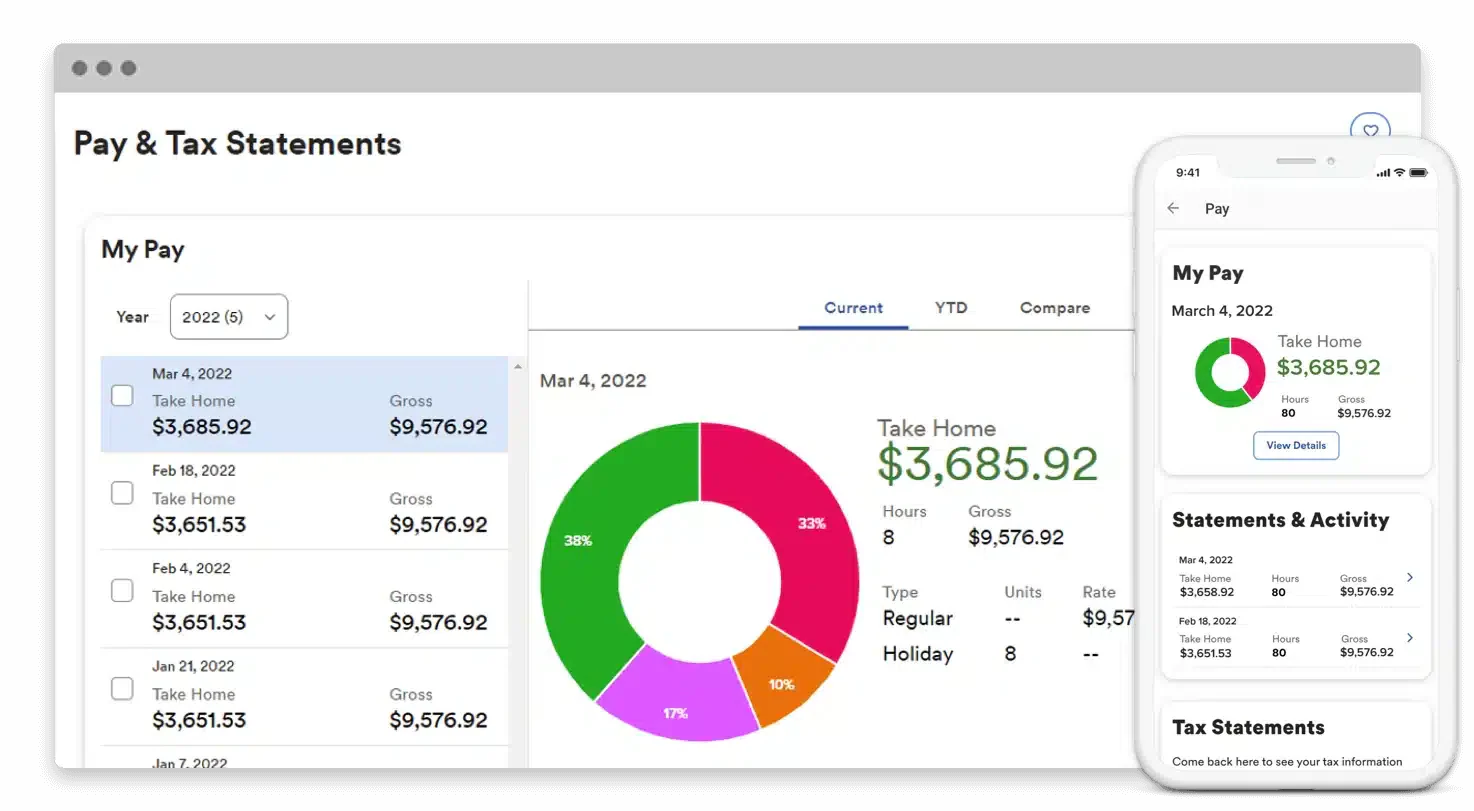
2. ADP
ADP Workforce Now is a payroll and workforce management solution designed for businesses. This employee payroll application offers comprehensive features, including payslip management, financial reporting, and workforce data analysis.
ADP Workforce Now is designed to help companies manage payroll and taxes and ensure efficient compliance with labor regulations.
Key features:
Payslip and tax management
Workforce data analysis
Flexible add-on modules
Pros
Cons
Highly scalable
Extensive customer support
Customizable add-on modules
High implementation complexity
Relatively expensive subscription fees
Requires training time
There is a limit to the number of users
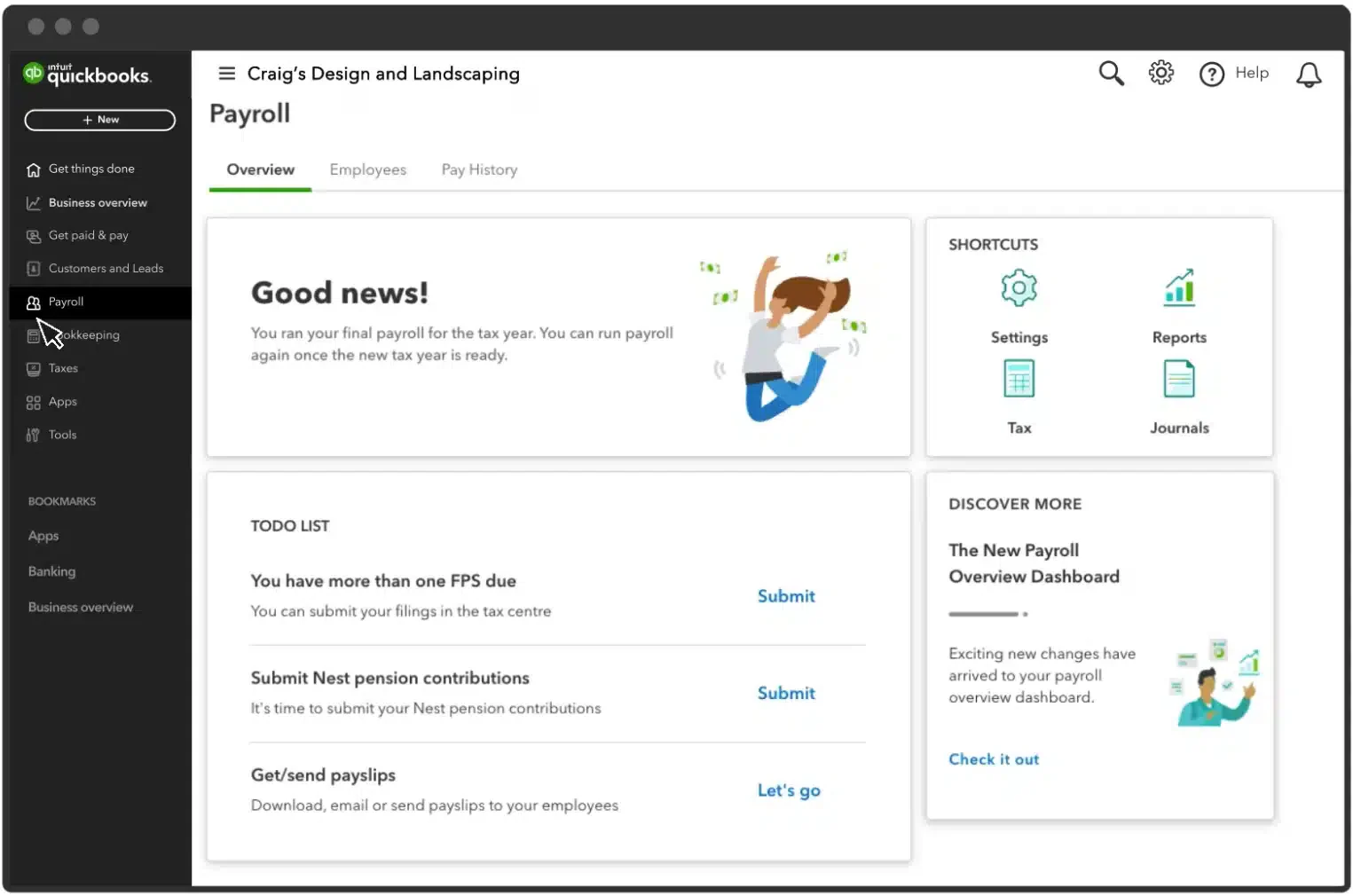
3 . QuickBooks
QuickBooks Payroll is a payslip management software that offers a simple yet effective automation feature for payroll processing. Its seamless integration makes payroll management more efficient within a unified platform.
This employee payroll application helps businesses automate tax calculations, deductions, and benefits, reducing the risk of human errors.
Key features:
Automated payroll and tax processing
Online payslip access
Employee self-service portal
Pros
Cons
Seamless integration with QuickBooks applications
Automated tax and benefits calculations
User-friendly interface
Limited customization features for large enterprises
Not ideal for multinational businesses
Costs can add up with additional features and services
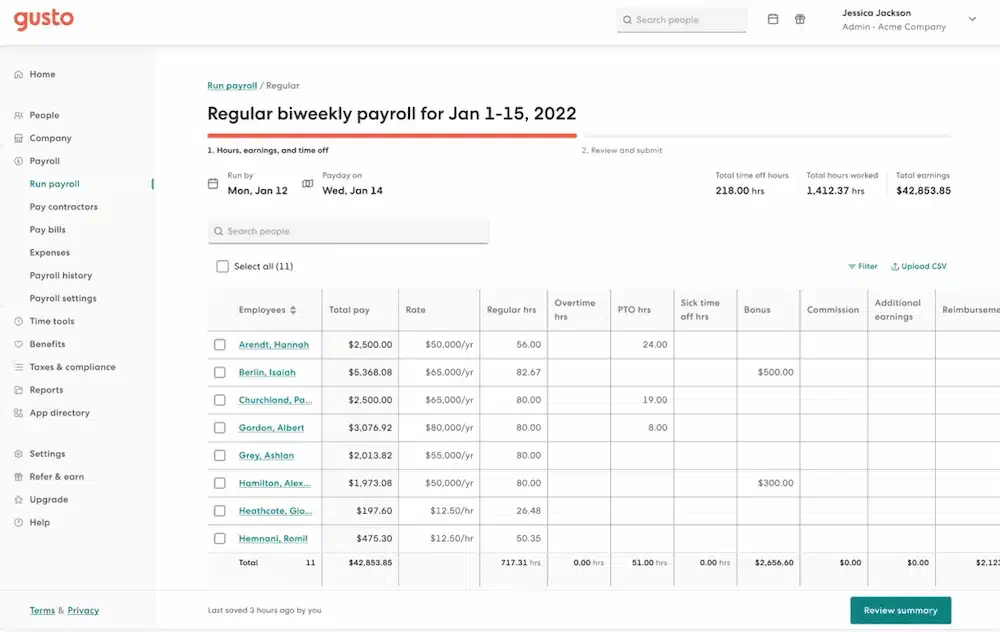
4 . Gusto
Gusto is an employee payslip software that offers a comprehensive yet easy-to-use payroll solution. The platform provides automation features for payroll processing, tax deductions, and employee benefits management.
It also includes health and retirement benefits management features, adding value for businesses looking to enhance employee well-being.
Key Features:
Automated payslip and tax processing
Health and retirement benefits management
User-friendly interface
Pros
Cons
Easy to use and implement
Comprehensive benefits management
Fast and accurate payroll processing
Limitations on customization
Not suitable for multinational businesses
Restricted customization options
Relatively high implementation costs
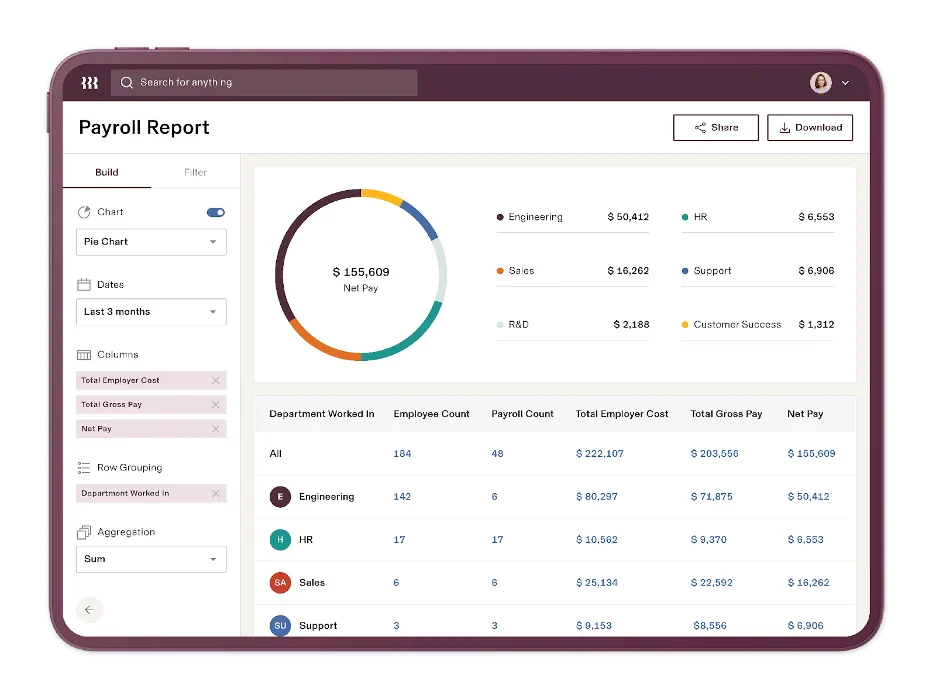
5. Rippling
Rippling is a payroll solution that integrates HR and IT management into a single platform, automating various aspects of business operations.
The Rippling employee payslip application allows seamless integration with multiple third-party apps, offering exceptional flexibility for businesses to customize their systems as needed.
Key features:
Automated payslip management
Integration with third-party applications
Employee software and hardware management
Pros
Cons
Comprehensive solution for HR and IT
Integration with various third-party apps
Hardware and software management for employees
Too complex for small businesses
Relatively high subscription costs
Longer implementation time required
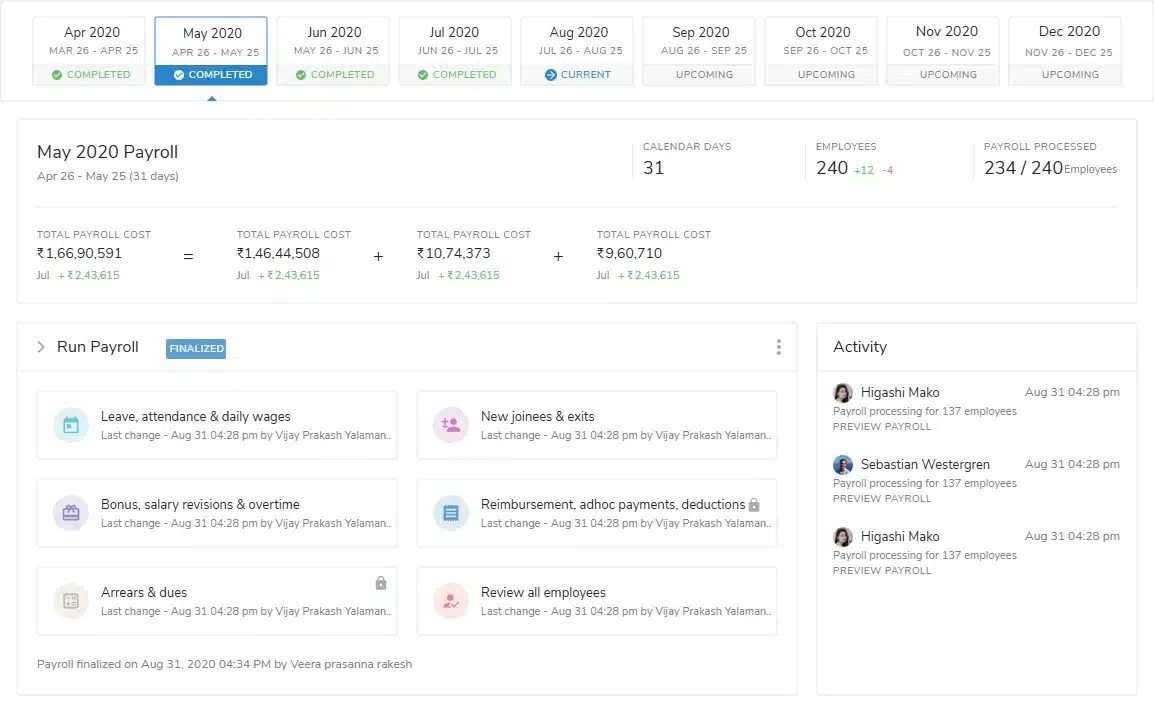
6. Keka
Keka is payroll and HR end-to-end software that aims to simplify employee management for businesses of all sizes. The software provides automated payroll, time and attendance management, and employee self-service portals, among other features.
Keka is an all-in-one platform that connects with Xero, QuickBooks, and other software. Made for 30 to 500 employees, it simplifies payroll and several organizations in one platform.
Key Features:
Automated payroll management
Employee self-service portal
Expense tracking and management
Advanced reporting and analytics
Pros
Cons
Intuitive interface
Remote access and real-time updates
Integration capabilities
Primarily focused on specific regions
Can be complex for some users
High implementation costs
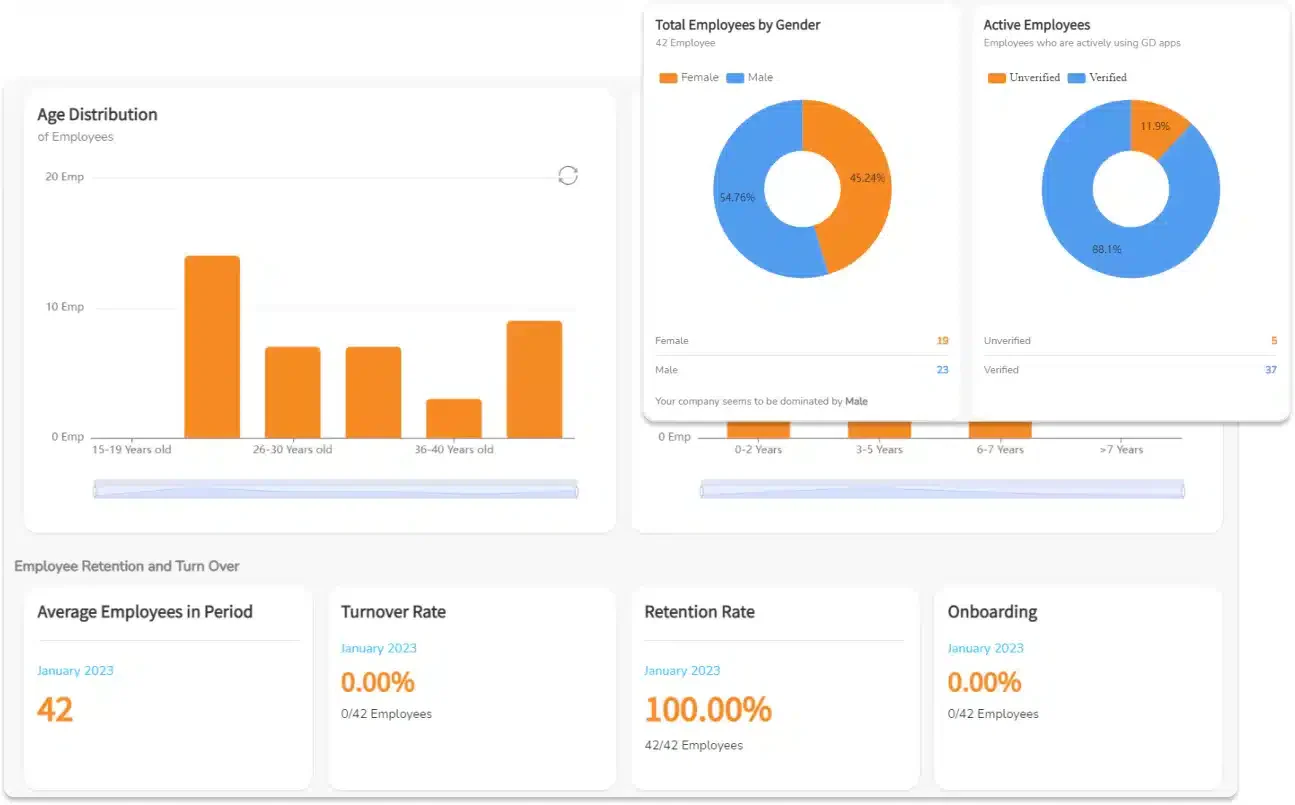
7. GreatDay HR
GreatDay HR is payroll software that simplifies salary management while ensuring accuracy. It allows payroll officers to customize salary components like bonuses, taxes, and deductions to meet company policies and employee needs.
GreatDay HR supports various pay schedules, offering flexible options like weekly or bi-weekly payments. Employees can view their e-payslips securely on mobile devices with personal credentials and passwords.
Key Features:
Automated payroll processing
Tax and compliance management
Payroll disbursement
Payroll reports and analytics
Pros
Cons
Intuitive and user-friendly interface
Comprehensive payroll features
Limited integration options
Restricted customization capabilities
Less responsive customer support
8. PeopleHum
PeopleHum is an end-to-end Human Capital Management (HCM) solution that automates several HR functions. It streamlines payroll tasks, manages payslips, tracks attendance, and generates payroll reports while ensuring regulatory compliance. Consequently, businesses can significantly reduce manual work and administrative burdens.
Furthermore, with a core system and multi-step approval workflows, payroll processing becomes easier and more transparent. Additionally, the interactive dashboard provides real-time access to payroll information, granting companies full visibility and control over payroll activities.
Key Features:
Automated payroll management
Compliance tracking
Employee self-service portal
Advanced reporting and analytics
Pros
Cons
Seamless system integration
User-friendly interface
Steep learning curve
High setup and implementation costs
9. Spine
Spine Payroll simplifies salary processing with employee record maintenance, leave tracking, and real-time reporting. It accurately calculates wages for weekly, monthly, and hourly pay structures.
The bulk email feature lets businesses quickly send payslips, tax documentation, and historic payroll data. It includes letter templates for correspondence and a web module for remote access.
Key Features:
Automated salary processing
Regulatory compliance management
Employee self-service access
Customizable reporting tools
Pros
Cons
Compliance with regulations
Customizable features
Steep learning curve
High setup and implementation costs
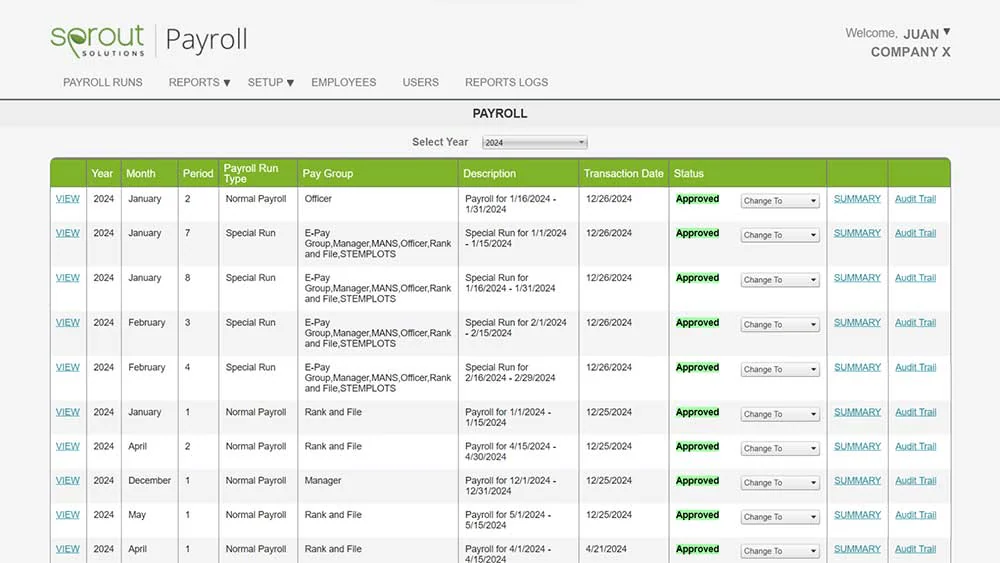
10. Sprout Solutions
Sprout Payroll is a cloud-based system that streamlines payroll processing for businesses. It ensures accurate calculations, automates report generation, and maintains compliance with BIR, PHIC, SSS, and Pag-IBIG regulations, reducing processing time without compromising quality accuracy.
Key Features:
Payroll outsourcing services
Payroll auditing tools
On-demand payroll access
Government benefits management
Compliance support for SSS, PHIC, and HDMF
Pros
Cons
Accessible payroll processing from any location
Financial aid availability via InstaCash
Custom pricing may not be budget-friendly for small businesses
May be difficult for new users
Selecting the right payslip software enhances payroll efficiency, accuracy, and compliance. The options above offer various features to suit different business needs, ensuring smoother payroll management and improved employee satisfaction.
How to Choose the Right Payslip Software
Selecting the right payslip software is necessary to ensure efficient, accurate, and compliant payroll processing. The following are key factors that should be considered prior to making a decision:
Assess functional needs
Each company has specific payroll requirements. Ensure the software includes essential features such as automatic tax calculations, compatibility with HR systems, and managing various employee contract types.
Check if you follow local rules
The software must comply with your country’s labor and tax laws. To avoid compliance issues, opt for a solution that auto-updates based on government rules for salary calculation, allowances, and tax deductions.
Seek out employee self-service capabilities
A self-service portal allows employees to view their payslips, request leave, and update personal information without assistance from HR. It simplifies and reduces administrative work.
Facilitate simple integration
Good payslip software needs to be integrated with HRIS, accounting, and attendance software. Proper integration prevents data duplication and payroll errors.
Prioritize data security
Payroll data is very sensitive and should be safeguarded. To avert financial data leaks, opt for software with data encryption, role-based access permissions, and automatic backups.
Taking these into account, organisations can choose the most appropriate payslip software to fit their needs while making payroll management secure, compliant, and efficient.
Create Payslip with Online Payslip Generator From HashMicro
Managing payroll manually is not only time-consuming but also prone to errors. Therefore, businesses need an automated solution that ensures accuracy, efficiency, and compliance with labor laws.
As part of its commitment to helping businesses manage payroll more efficiently, HashMicro offers anonline payslip generator. This tool is designed to assist in the accurate and fast creation of employees’ payslips, suitable for businesses that want to save time and optimize their payroll process.
Conclusion
Choosing appropriate payslip software is essential for businesses aiming to increase payroll efficiency, compliance, and accuracy. The ideal payslip software allows organizations to reduce errors and save time while making timely payments to staff.
From many choices,HashMicro differentiates itself by providing a total payslip solution that not only automates payroll but also maintains compliance with labor regulations and boosts overall HR productivity. In addition, it easily integrates with other HR and accounting software to further streamline payroll management.
To further simplify payroll processing, tryHashMicro’s HRIS solution. You can automate payroll calculation, reduce manual errors, and enhance overall efficiency with just a few clicks. So what are you waiting for? Book a free demo today and see how much your payslip process can be simplified.
FAQ About Payslip Software
Does payslip software automatically update tax rates and labor laws?
Some advanced online payslip software solutions, like HashMicro’s, are regularly updated to comply with changing tax rates and labor regulations, ensuring businesses remain compliant without manual adjustments.
Can payslip software be customized to match my company’s payslip format?
Yes, many payslip maker software solutions allow companies to customize templates, add company branding, salary breakdowns, and benefits details, ensuring that the payslip format aligns with corporate policies and legal requirements.
What is another name for a payslip?
A payslip is sometimes referred to as a salary slip, wage slip, or payroll statement. In some companies, it may also be called a pay stub or remuneration statement, depending on regional terminology.
What is the difference between a payslip and an invoice?
A payslip is issued by an employer to an employee as proof of salary payment, detailing earnings, deductions, and taxes. An invoice, on the other hand, is a bill issued by a business or freelancer to a client, requesting payment for services or goods rendered.
Katrina Mendoza is an HRM specialist with experience managing people operations, HR compliance, and workforce data across growing organizations in the Philippines. Her work focuses on structuring HR processes that support operational consistency, regulatory compliance, and informed people decisions.
With years of experience in HR operations and system implementation, I specialize in integrating technology with human capital strategies. My work focuses on helping businesses build efficient, compliant, and people-centered HR processes through smart digital solutions.
HashMicro follows strict editorial standards and uses primary sources such as regulations, industry guidance, and trusted publications to keep content accurate and relevant.








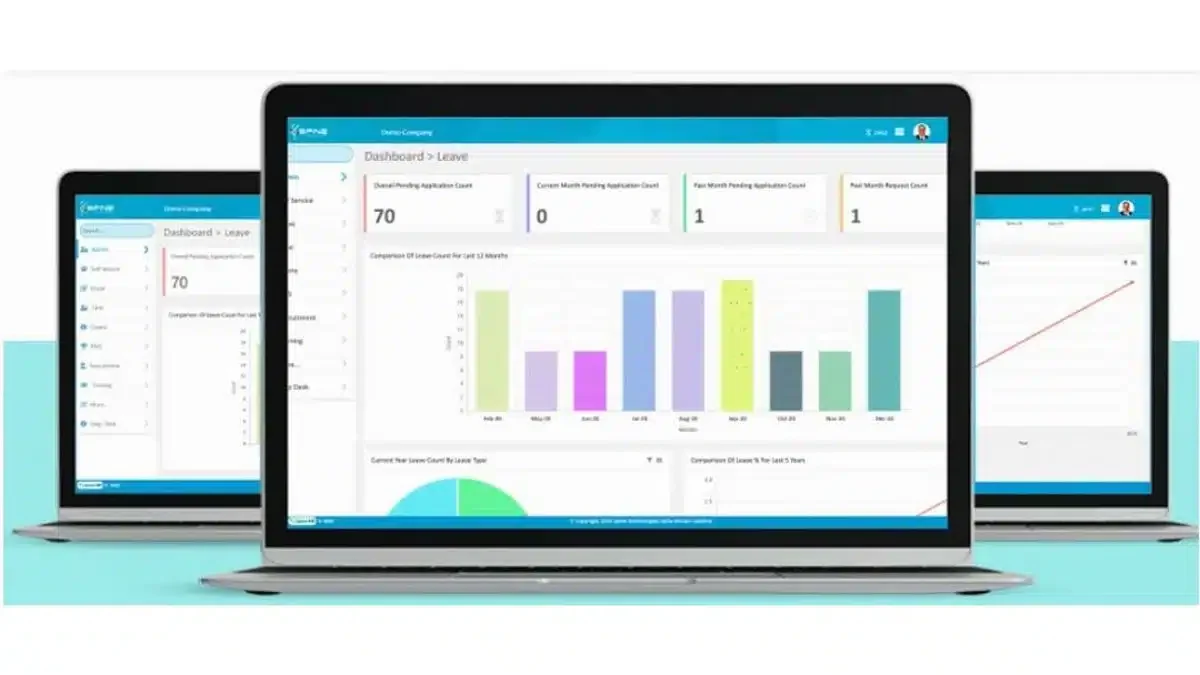 Spine Payroll simplifies salary processing with employee record maintenance, leave tracking, and real-time reporting. It accurately calculates wages for weekly, monthly, and hourly pay structures.