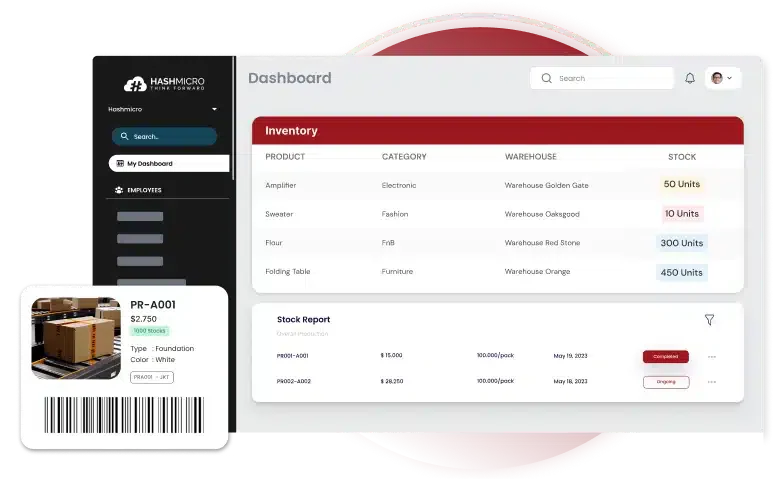






It’s peak season, and orders are flying in. Your warehouse team moves fast, but there’s a problem. Your system says 500 units of a product are in stock, but only 490 are on the shelves. Worse, 10 units are damaged and can’t be sold. That means you actually have 480 ready to ship, not 500. These issues may arise because of an ineffective inventory audit.
Instead of disappointing 20 customers and scrambling for last-minute fixes, regular inventory audits help prevent these issues. These checks ensure that recorded stock matches actual inventory and that everything in storage is fit for sale—avoiding costly errors and operational setbacks.
As a business owner in Malaysia, maintaining accurate stock goes beyond simple counting. Using tools like HashMicro’s inventory software supports more reliable audits and smoother workflows. You can also try the free demo to see how digital checks improve control as you explore the audit strategies in this guide.
Key Takeaways
What Is an Inventory Audit?An inventory audit is a structured process where a company verifies physical stock and compares it with recorded data to ensure accuracy. More than a basic stock count, it also reviews quantities, condition, damage, spoilage, and any discrepancies that affect sellability, giving businesses a clearer view of what is usable or needs further action. Studies on inventory control show that audits help businesses reduce shrinkage, improve cost management, and strengthen overall stock control. When supported by digital tools like inventory software, companies gain better forecasting, more accurate order planning, and improved operational and financial visibility. What Are the Benefits of Inventory Audit?Even though audit procedures take time, they’re essential for keeping records accurate. They help you:
Inventory Audit ProceduresInventory audits involve several methods to ensure stock accuracy and uncover any discrepancies in records. Below are nine key procedures that help businesses maintain better control over their inventory. 1. Physical Inventory CountPhysical inventory method involves manually counting stock and comparing it with inventory records. Any discrepancies, including missing or damaged items, should be flagged. While this can be time-consuming for large inventories, businesses with minimal stock find it more manageable. Barcode scanners help speed up the process and improve accuracy by instantly updating inventory data. 2. ABC AnalysisThis technique categorizes inventory into different groups based on profitability and importance to the business. For example:
Grouping inventory this way helps prioritize resources, focusing audits and stock management on the most impactful items. 3. Analytical ProceduresThis approach compares inventory data over time to assess trends and system efficiency. By analyzing factors like inventory turnover, return rates, and gross margins, businesses can better predict future demand and adjust stock levels accordingly. 4. Finished Goods InventoryFinished goods are ready-to-sell products, excluding damaged or incomplete items like unassembled kits. Their value helps estimate future revenue. To calculate it, start with the previous inventory value, add the cost of newly purchased or produced goods, and subtract the cost of goods sold. 5. Overhead AnalysisInventory management isn’t just about the products—it also includes indirect costs like rent, utilities, and administrative expenses. An overhead analysis reviews these costs to help with budgeting and pricing, ensuring your prices reflect the true cost of production while remaining competitive. 6. Freight Cost AnalysisThis method evaluates the total expenses of transporting goods, including hidden costs like border fees or carrier surcharges. Reviewing recent shipping data, such as costs, routes, and shipment volumes, can reveal ways to cut expenses. Strategies like consolidating smaller shipments or scheduling deliveries during off-peak times can help reduce costs and improve efficiency. 7. Cutoff AnalysisA cutoff analysis involves temporarily pausing certain activities, such as shipping and receiving, to conduct a precise inventory count. Since the process can take anywhere from a few hours to several days, scheduling it at a convenient time prevents errors like missed items or duplicate counts caused by stock movement. 8. Reconcile Inventory DiscrepanciesCompare physical stock counts with recorded inventory figures. If numbers don’t match, identify the cause—such as miscounts, theft, or damaged goods—and update records accordingly to maintain accuracy. 9. Verify Invoices Against Shipping LogsCross-check invoices with shipping records to confirm that every dispatched item has been properly billed and documented. Address any missing or mismatched entries to prevent financial and inventory errors. How to Conduct Inventory Audit
You can handle an audit internally or bring in a professional auditor for a more specialized approach. Either way, following a structured process helps maintain accuracy. Here are five key steps to follow: 1. Plan and PrepareSet up the workspace so all necessary information is easily accessible. Define the audit’s objectives and select the right procedures to match them. For example, if the goal is to conduct a physical inventory count, ensure there’s a plan in place for scheduling, tools, and staff coordination. For businesses handling bulk stock, adopting ERP software with wholesale inventory capabilities can streamline audits and prevent costly errors. 2. Carry Out the AuditOnce the type of audit is decided, begin the process. This might involve reviewing financial records to assess overhead costs, analyzing purchase and sales data to evaluate finished goods, or physically counting stock in warehouses. Make sure the team understands the audit procedures to avoid unnecessary delays or mistakes. Choose a time that minimizes disruptions to daily operations, and follow the outlined steps carefully. 3. Review and Compare FindingsExamine the audit data and check whether it aligns with expectations. Depending on the audit type, this could involve verifying product quantities, comparing actual shipping costs with estimates, or assessing whether the right items have been prioritized for restocking. 4. Pinpoint and Resolve DiscrepanciesLook for inconsistencies or unexpected trends in the data. You might discover higher-than-expected overhead costs or missing inventory in a specific warehouse. Identifying these gaps allows you to develop targeted solutions, such as refining stock management practices in locations where losses occur. 5. Enhance Future AuditsInventory management isn’t a one-time task—it requires continuous improvement. After completing an audit, assess any challenges in the process and find ways to make future audits more efficient. Challenges in Inventory AuditManaging inventory manually comes with serious risks, especially when relying on spreadsheets. Errors in stock adjustments, calculations, and shipping records can create discrepancies that disrupt inventory accuracy and financial reporting. Key challenges include:
To overcome these challenges, many businesses are adopting automated inventory systems. These systems range in features, capabilities, and ultimately, pricing. If you want to know how much an inventory system would cost, click on our banner below and get your customized quote. Best Practices for Effective Inventory AuditsFollowing effective audit strategies helps simplify the process and provides valuable data to improve operations. Here are some key practices to consider:
To overcome these challenges, many businesses, including those moving in the FMCG sections are adopting automated solutions like retail inventory software to improve stock accuracy and reduce manual errors. Simplify Your Inventory Audits with HashMicro Inventory Software
Struggling with inventory audits? Wasting hours on manual counts, missed discrepancies, and stock inaccuracies? HashMicro Inventory Software transforms the way businesses handle inventory—faster, smarter, and mistake-free. With real-time tracking and automation, you get precise stock data at your fingertips, so you can audit without the usual headaches. Not only that, your entire inventory and warehouses, be it single or multiple-branch, can be managed easily, as the software can give real-time updates. What else can HashMicro do? Let’s take a look at the features:
ConclusionInventory audits involve carefully counting physical stock, finding discrepancies, and maintaining accuracy to optimize business profitability. Effective audits help businesses reduce costs, minimize errors, improve stock management, and streamline operational efficiency. Ready to ditch tedious manual counts and messy spreadsheets for smarter, faster inventory management? HashMicro Inventory Software brings real-time accuracy to your fingertips, effortlessly simplifying audits and boosting your company’s profits. With powerful features like RFID tracking, OCR scanning, and smart forecasting, HashMicro makes inventory headaches history. It’s your turn; try the free demo and see just how easy inventory management can really be! Frequently Asked Questions on Inventory AuditWhat is cycle counting, and how does it differ from traditional physical inventory counts?Instead of shutting down operations for a full stock check, cycle counting lets businesses audit inventory in small sections over time. This method reduces disruptions, catches errors sooner, and keeps stock levels accurate year-round. Why is stock-taking important for businesses?Stock-taking isn’t just about counting products—it’s about ensuring your records match reality. By physically verifying stock, businesses spot discrepancies, prevent losses, and keep operations running smoothly. How does technology make inventory audits easier?Barcode scanners, AI-driven forecasting, and real-time inventory software eliminate guesswork, reduce human errors, and speed up audits. With the right tools, businesses gain better control over stock without manual hassle. What are the most common inventory audit methods?Businesses use physical inventory counts, ABC analysis (categorizing items by value), and analytical procedures that compare sales trends over time Angela Tan is a Regional Manager at HashMicro with a strong focus on ERP and accounting solutions, leading regional market strategies that support strategic growth and people-centered management. Through her experience overseeing multi-market operations, she plays a key role in helping organizations improve financial accuracy, strengthen customer relationships, and build long-term business sustainability across Southeast Asia. HashMicro follows strict editorial standards and uses primary sources such as regulations, industry guidance, and trusted publications to keep content accurate and relevant.        Alia Alia Looking for a Free Demo?
Contact us via WhatsApp and let us know the software you are looking for. 15.14 |